New: import and export GEDCOM family tree files
GEDCOM is the file format family history sites and programs use to swap family trees. PeoplePlotr now speaks it both ways. You can download your story tree as a GEDCOM file for Ancestry, FamilySearch, MyHeritage, Findmypast or Gramps, and you can import a GEDCOM file from any of them to turn it into a PeoplePlotr story. Both come with a premium account (Bronze, Silver or Teacher).
Download your tree as GEDCOM
Open Share and choose Download as GEDCOM. You get a GEDCOM 5.5.1 file, the version nearly every family history program can import. It includes:
- everyone's names, including titles, nicknames, maiden names and regnal numbers like Henry VIII
- births and deaths, marriages, divorces and separations, with their dates and places
- jobs, where people lived, emigrations, military service and other events
- your sources
- whether a child was born to, adopted by or fostered by their parents
GEDCOM has no place for some things PeoplePlotr knows, so they go into each person's notes instead: what they look like, their personality, hobbies and pets, and the About text you wrote. GEDCOM can't record step-parents either, so a stepchild's note says whose stepchild they are. Here is Henry VIII in the file:
0 @I29@ INDI
1 NAME Henry // VIII
2 GIVN Henry
2 NSFX VIII
1 SEX M
1 BIRT
2 DATE 1491
1 DEAT
2 DATE 1547
Your tree's full birth dates go into the file too, including those kept only on your own device, so treat it like any private family document and only share it with people you trust.
Import a GEDCOM file
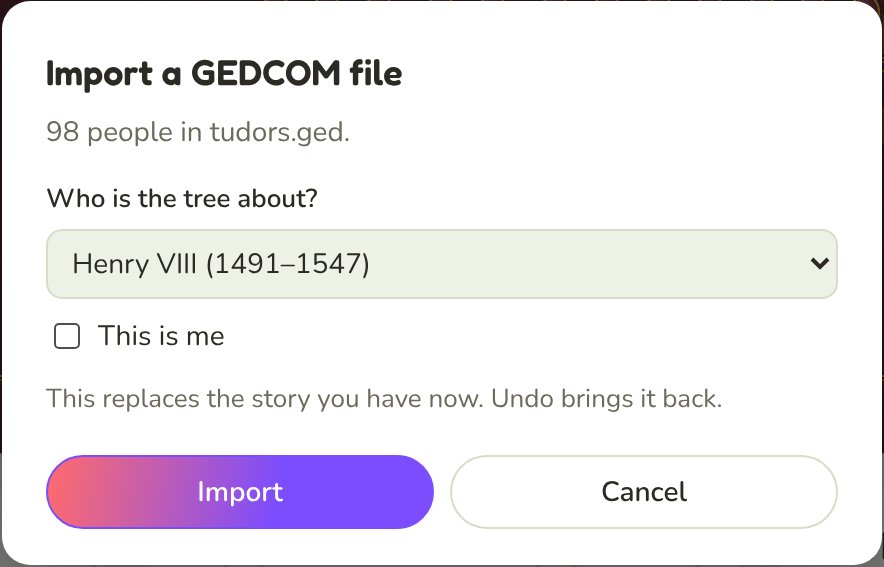
Open Share, then Import a GEDCOM file…, and pick the file. PeoplePlotr tells you how many people are in it and asks who the tree is about. That person's closest relatives come first: parents, children and partners, then grandparents, cousins and beyond, up to your account's limit (250 people on Bronze, 500 on Silver).
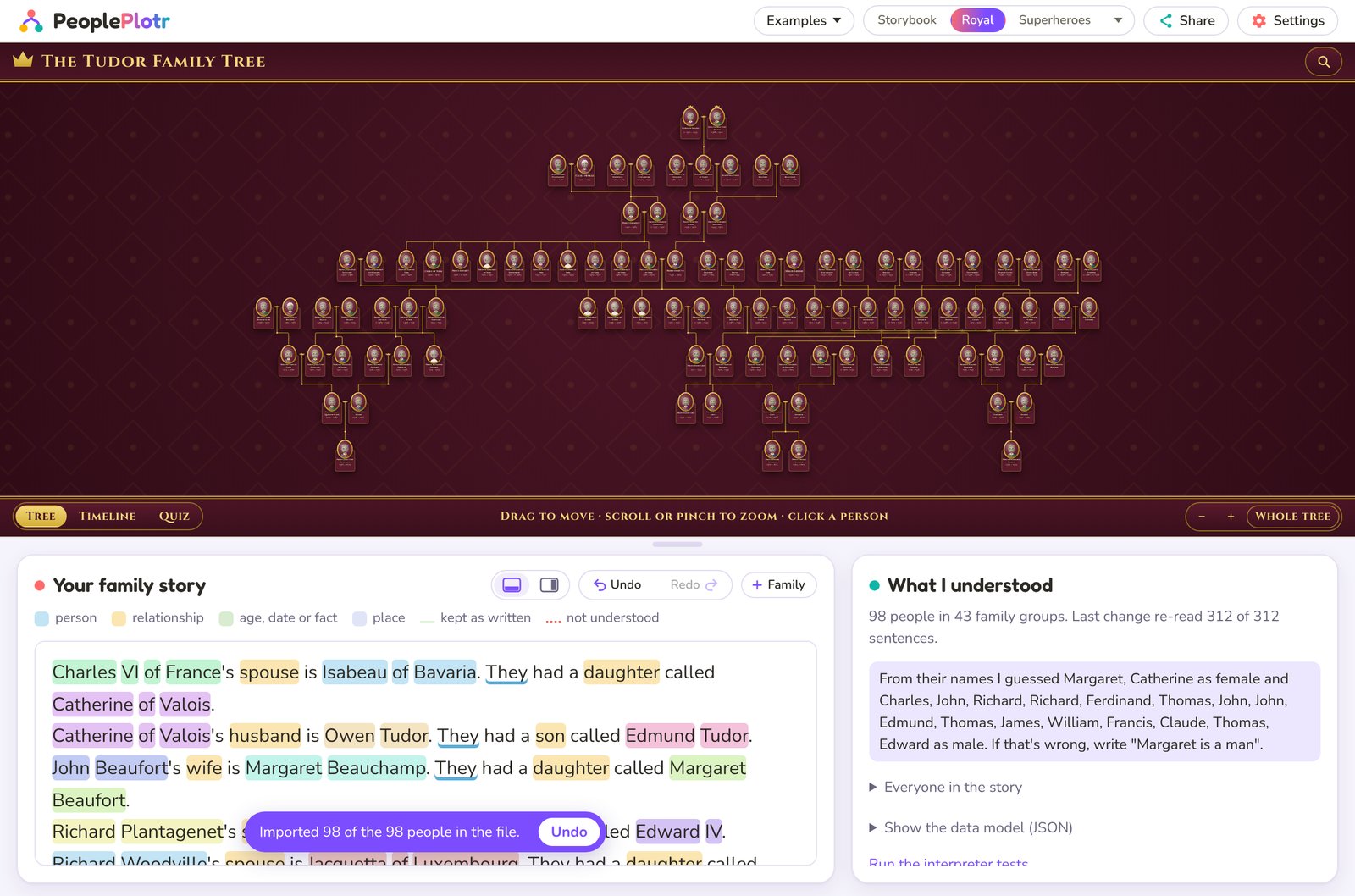
Most family tree apps simply load a file. PeoplePlotr does something different: it writes the file out as a story, in the same everyday sentences you'd type yourself.
Henry VIII's wife is Anne Boleyn. They married in 1533. They had a daughter called Elizabeth of England.
That means everything you can do with a story you've written, you can do with an imported one. You can add a pet, fix a date, write a family story or change someone's look. The import replaces the story you had, and Undo brings the old one back.
It checks its own work
After an import, PeoplePlotr reads the new story back and compares it with the file: the same people, born in the same years, with the same parents and partners. If anyone didn't come through exactly, it names them, so you know who to check.
People with the same name
Families reuse names, sometimes in the same generation. When two people share a name, the story tells them apart through their relatives: "another John Smith", or "Kate Brown's son John Smith".
Living people's birthdays stay private
The story only keeps the year a living person was born. Their full birth date is kept on your own device, just like a date you type yourself.
Good to know
GEDCOM files can hold a lot, and not all of it fits a story tree. Here's what to expect:
- Only the chosen person's family comes in. People in the file who aren't connected to them by family are left out, as are the furthest relatives once your account's limit is reached.
- Photos and other media aren't imported. Only one source per fact comes in, without citation details.
- Unmarried couples usually come in as married, because most GEDCOM files record them the same way.
- Names that are also everyday words, like the surname Love, can sometimes be misread. The check after the import names anyone affected, and a quick edit to the story fixes it.
- It works best on ordinary family files. On a 3,000-person royal file where most people had only first names, around one in six needed checking by hand. Our own examples and the 42-person sample file from Gramps came back exactly.
Try it
A good first test is the round trip. Open the Tudors example, download it as GEDCOM, and import it back. Or bring your tree from another site and see your family written out as a story.