Family map: see where your family was born, lived and moved
Your family tree now has a map. Write where people were born, lived and moved to, and PeoplePlotr puts everyone's portrait on a map of the world. Switch between where the family was born, where each person lives now, and the journeys they made, then hover over anyone to read their life in places.
Open the map
As soon as your story names a place, a Map button appears next to Tree, Timeline and Quiz. There's nothing to set up. These lines from The Byrnes on the Move, a family spread across Jamaica, Ireland, England, Italy and Canada, are all it needs:
My mum is Grace Byrne. She was born in 1970 in Kingston, Jamaica. She grew up in Brixton, London. She moved to Leeds in 1992.
My dad is Patrick Byrne. He was born in 1968 on a farm near Galway, Ireland. Mum and Dad married in 1995 at St Mary's Church, Whitby.
My aunt is Aoife. She moved to Toronto, Canada in 2010.
The map has three views. Pick one with the buttons in the top corner.
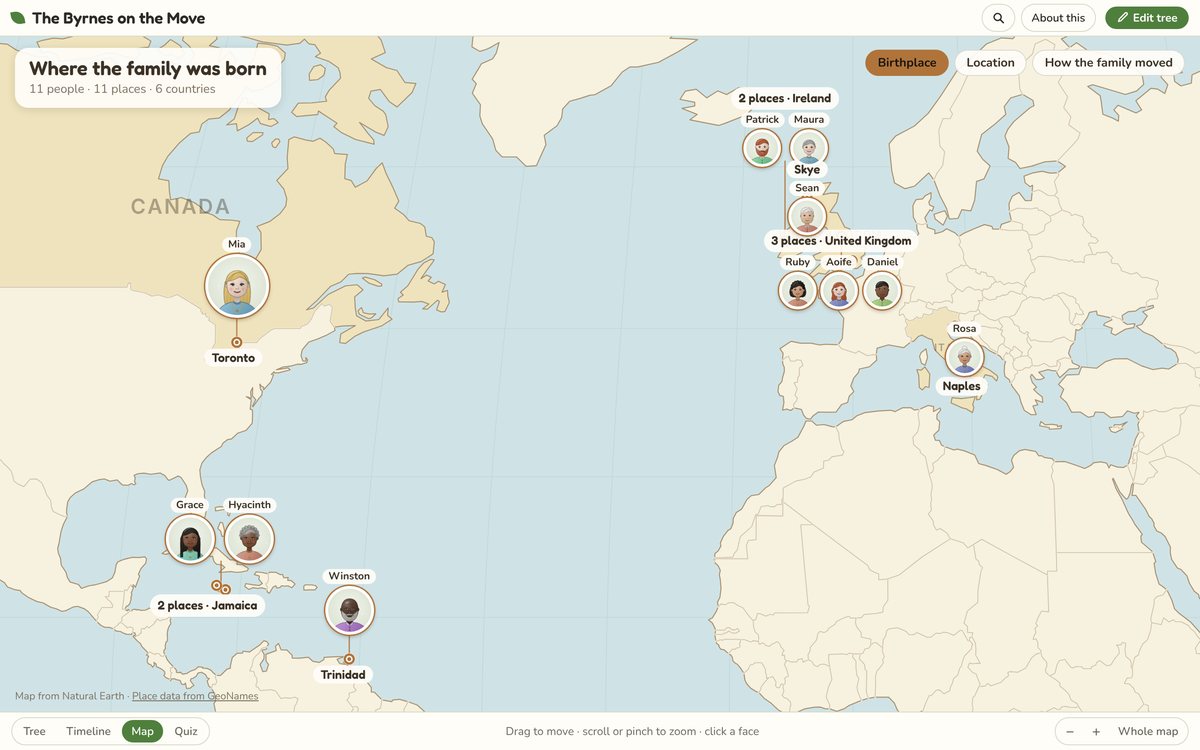
Birthplace: where the family was born
Each person's portrait sits on the place they were born. When places are close together, they're grouped with a label like 2 places · Jamaica
, and when a place gets crowded, a +3
bubble shows how many more there are. Scroll, pinch or use the + button to zoom in and they spread out. Small arrows at the edge point to people who are off the screen.
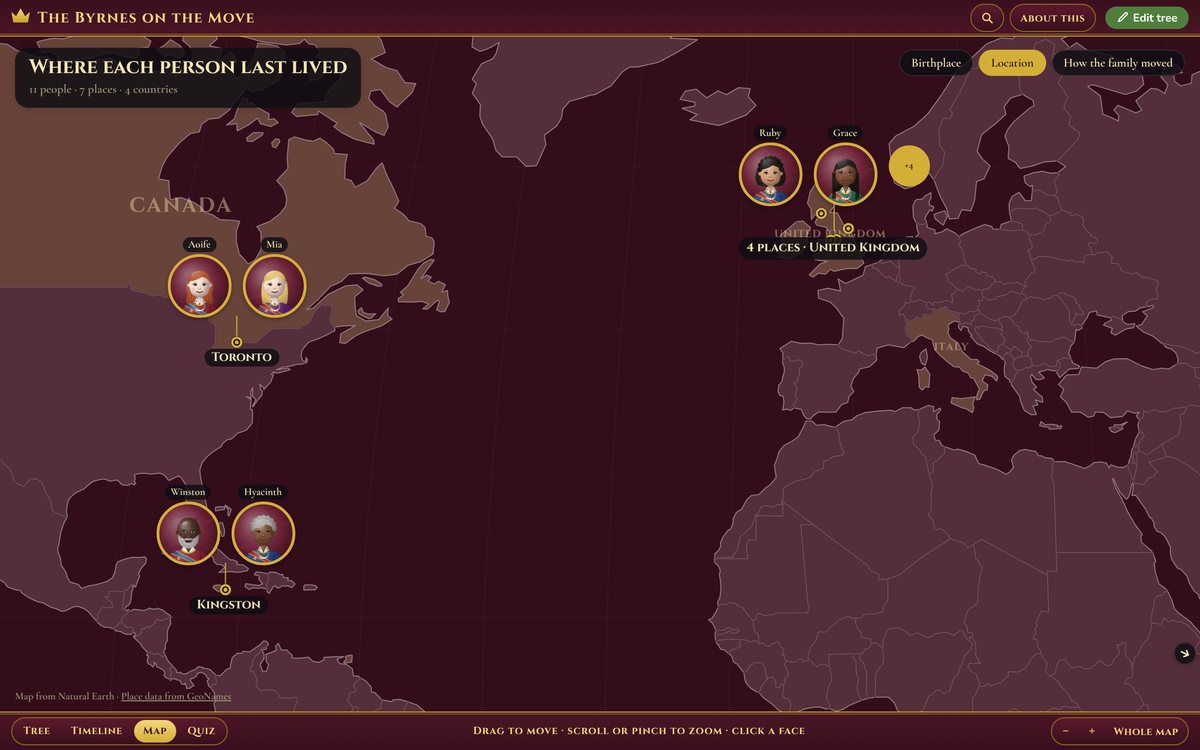
Location: where each person last lived
The Location view puts everyone where they live now, or where they last lived. It's the quickest way to see where the family has ended up, and who you could visit on your next holiday.
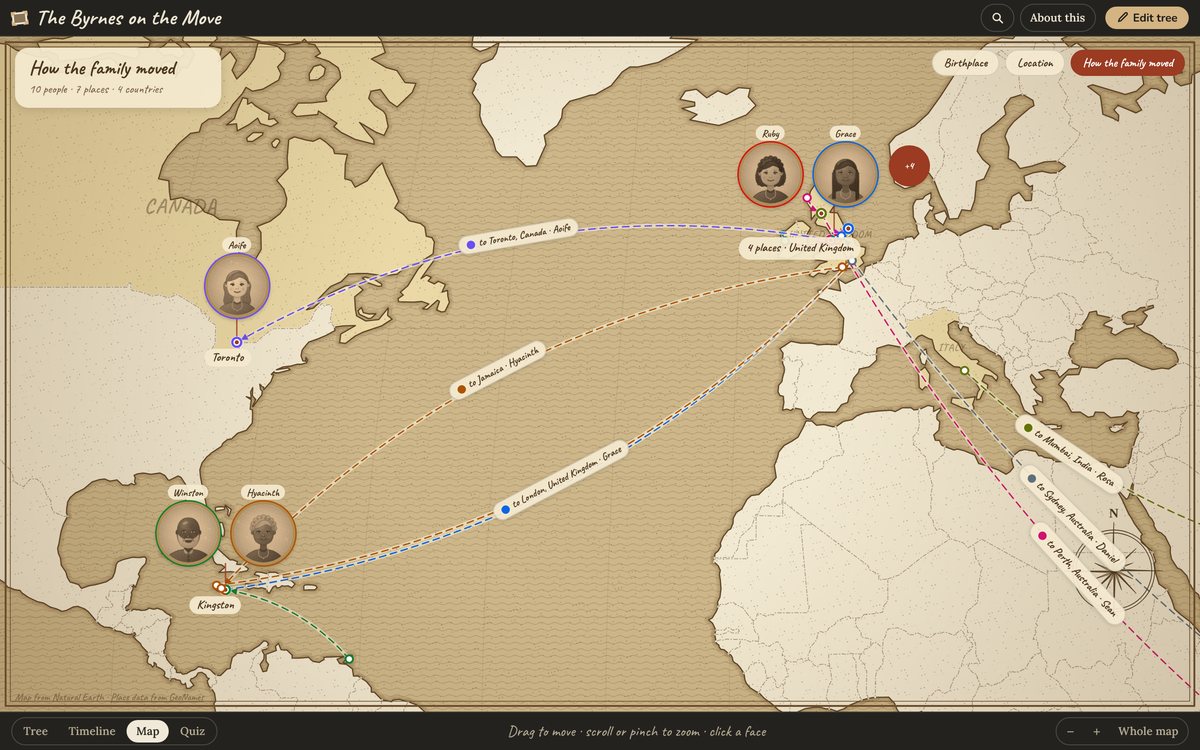
How the family moved
This view draws a curved line for each person's journey, in their own colour, with a note such as to London, United Kingdom · Grace
. Moves across an ocean and from one town to the next both show up.
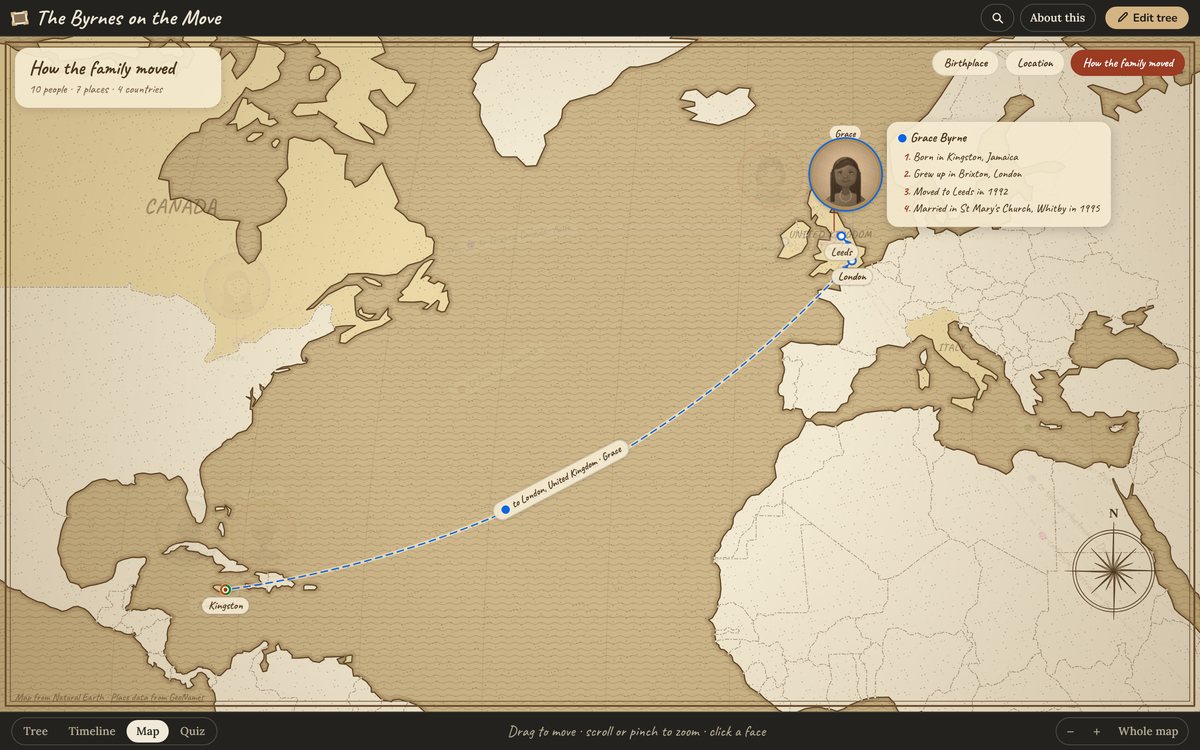
A life in places
Hover over a portrait, or tab to it with the keyboard, and a card lists every place in that person's life in order: where they were born, grew up, moved, married, worked and were buried. In How the family moved, everyone else fades and their journey draws itself across the map. On a phone or tablet, tap once to see the card and again to open the person.
What to write
Write places the way you'd say them. The map understands sentences like these:
- Born, married and died:
born in Cork
,born on a farm near Ballymena
,married in St Mary's Church, Whitby
,died at home in Swansea
,is buried in Glasnevin
. - Growing up and living:
grew up in Brixton
,was raised in Ohio
,is from Accra
,lived in Glasgow and then Liverpool
,lived in Paris from 1950 to 1970
,lives in Perth
. - Moving:
moved to Leeds in 1992
,emigrated to Canada
,sailed to New York
,went to live in Spain
,settled in Auckland
. - Work:
worked in Manchester
. - Near somewhere:
on the Isle of Skye
ortwo miles north west of Oxford
. - The whole family:
The family is mainly from England
.
A move with no year is taken as where the person lives now.
Which Whitby is it?
There's a Whitby in England and another in Ontario, and a Perth in Scotland as well as Australia. When a name could be more than one place, the map makes its best guess and asks you, with a button for each. Click the right one and PeoplePlotr adds it to your story, so it stays put.
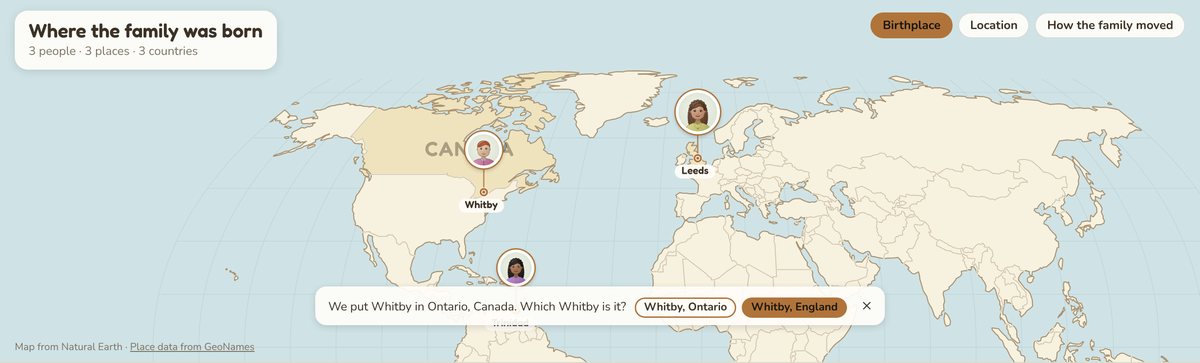
If the map can't find a place at all, it tells you which one and suggests adding the country, such as Leeds, England
.
Prefer not to write? Use Edit details
Click a person and choose Edit details. The new Life events tab lets you add moves, emigrating, where they lived and worked, school, university, graduating, starting work, retiring, joining the forces, awards and anything else, each with a place and year. PeoplePlotr writes the sentences into your story for you. Life events go on the timeline, and the ones with a place go on the map too. Under Places, you can add where someone grew up and where they're buried.
In every design, and ready to print
- Every design has a map. Storybook, Vintage and Space Crew have their own hand-drawn look, and the rest take their colours from the design you've picked.
- Shared trees have it too, so anyone you send your tree to can explore the map.
- Print it. With the map open, Print prints the map, at home or as a professional print with Print your map.
- For everyone. The map is in every account, free ones included, and works in Danish and Spanish as well as English. It works with a keyboard too.
The map is made from Natural Earth, and places are found with GeoNames.
Open your family tree and click Map to see where your family has been.