13 new things your family tree can do
Alongside the new designs, lots of smaller things have arrived in PeoplePlotr's story trees over the last few weeks, and we haven't told you about most of them. Here they are in one place: faded portraits for people who have died, a search box, a story box that can sit beside the tree, BC dates, new headgear and more. Most of them are a single sentence in your story.
On the tree
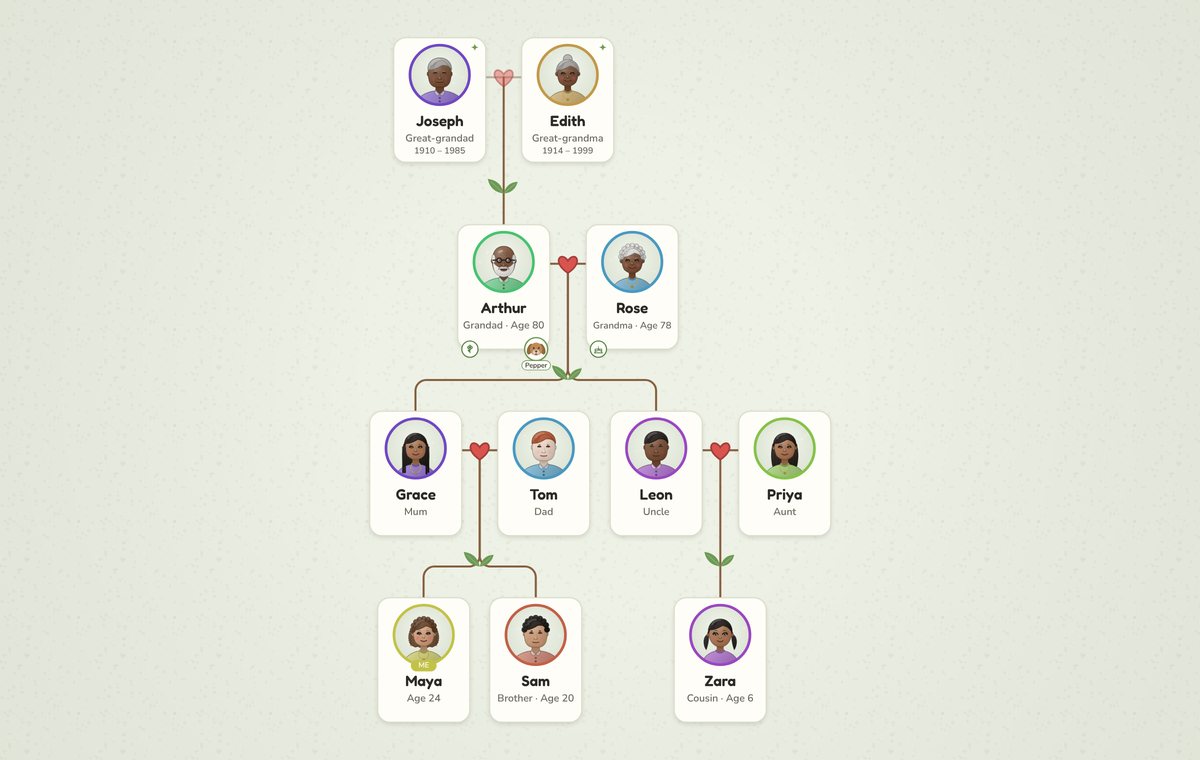
1. People who have died are faded
Anyone your story says has died is drawn a little faded, with their years under their name, so the living family stands out. If you'd rather everyone looked the same, turn off Fade people who have died in Settings.
2. A border round the tree
Every design can now draw its own frame round the whole tree, which looks good on a print or a shared page. Turn on Border in Settings.
3. Centre the tree on someone
Want Grandma in the middle when the tree opens? Write it:
Centre the tree on Rose.
Put Mary and Roger in the middle
works too, for a couple.
4. Colour or size a whole branch
You've been able to make one person bigger for a while. Now you can do it to everyone in someone's line, their descendants or their ancestors, and give them a colour too:
Colour Grace's descendants blue.
Make Leon's descendants bigger.
Make my ancestors smaller.
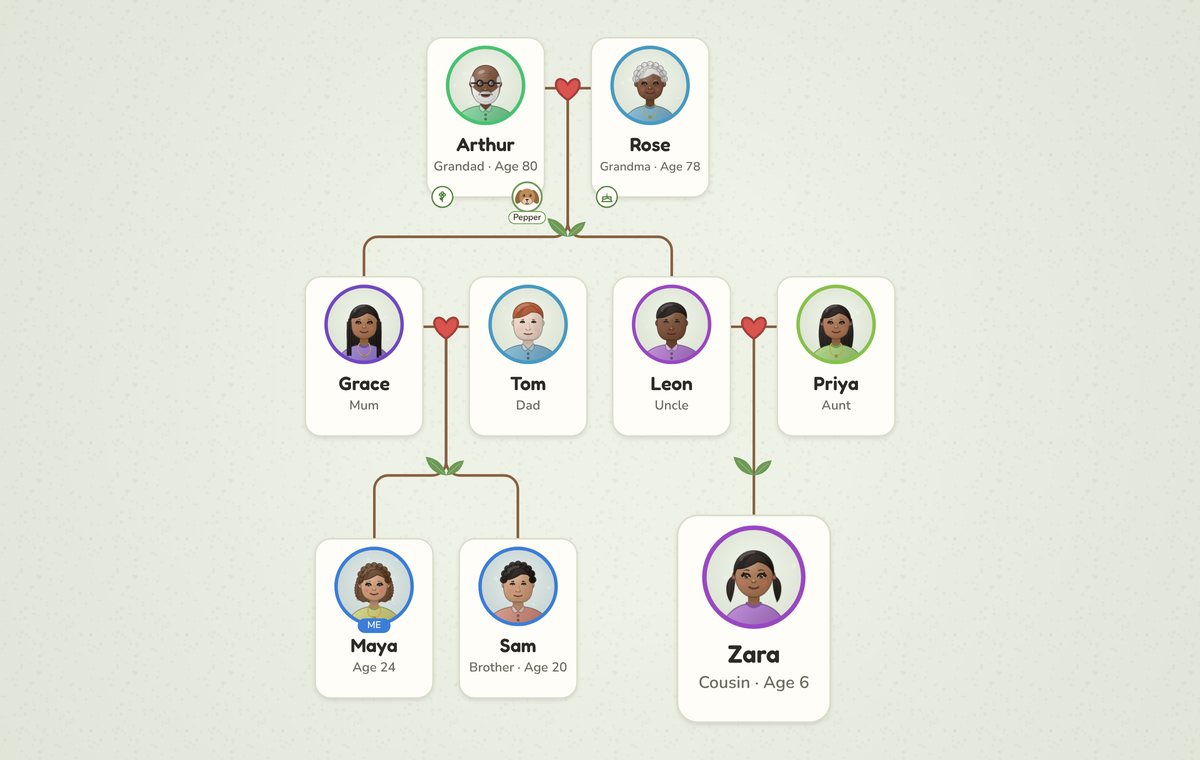
It follows the family as it grows: add a grandchild to Grace's line later and they're blue too.
5. BC and AD dates
For ancient history, write dates the way history books do: Tutankhamun was born about 1341 BC.
The timeline puts BC dates in the right order, and the card shows them as BC. See it in our Tutankhamun family tree.
6. Guess everyone's ages
If you don't know everyone's age, write Guess everyone's ages
and anyone without one is drawn at an age that fits their generation, so Grandad doesn't look the same age as his grandson. You can also give rough ages in words, such as Nan is old
, Max is a toddler
or Uncle Jim is middle-aged
, and the portrait follows.
7. Faces that match their personality
The words you use about someone now show on their face. Say they're cheerful, cheeky or kind and they smile, serious or grumpy and they keep a straight face, shy and they look down a little.
8. Foster and adoptive parents
Children can have foster or adoptive parents alongside their birth parents, each with the right label, such as Foster mum:
Emma and James adopted a son called Sam in 2017.
Jade is the foster daughter of Emma and James.
Our adoption family tree shows how it looks.
In the editor
9. Find someone
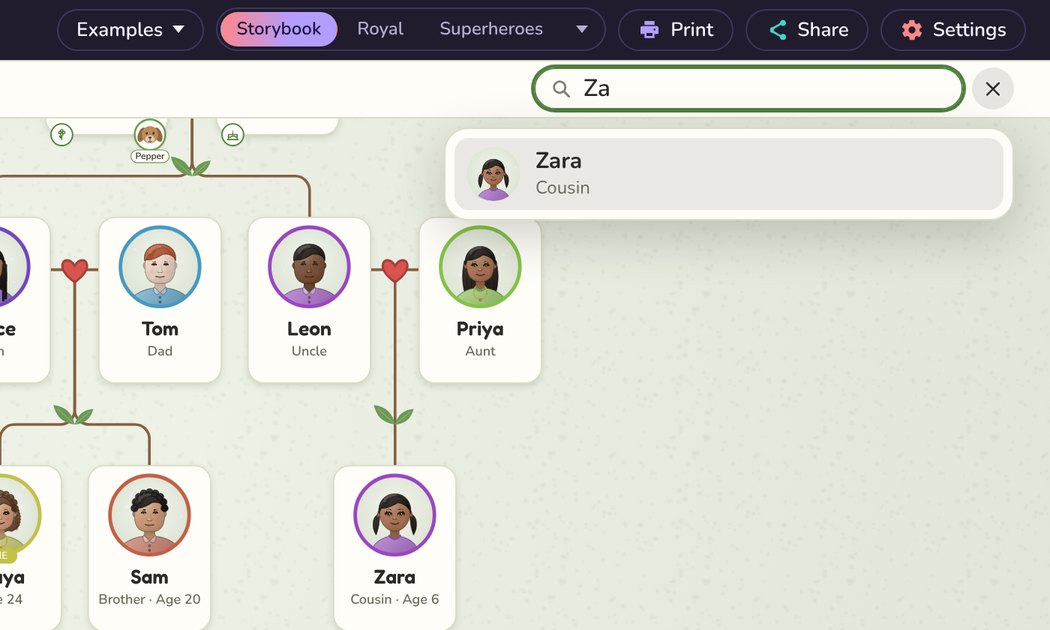
In a big tree, click the magnifier in the bar over the tree (or press /) and start typing a name. Pick them from the list and the tree takes you to them. It works on shared trees too, so your relatives can find themselves.
10. Your story beside the tree, or out of the way
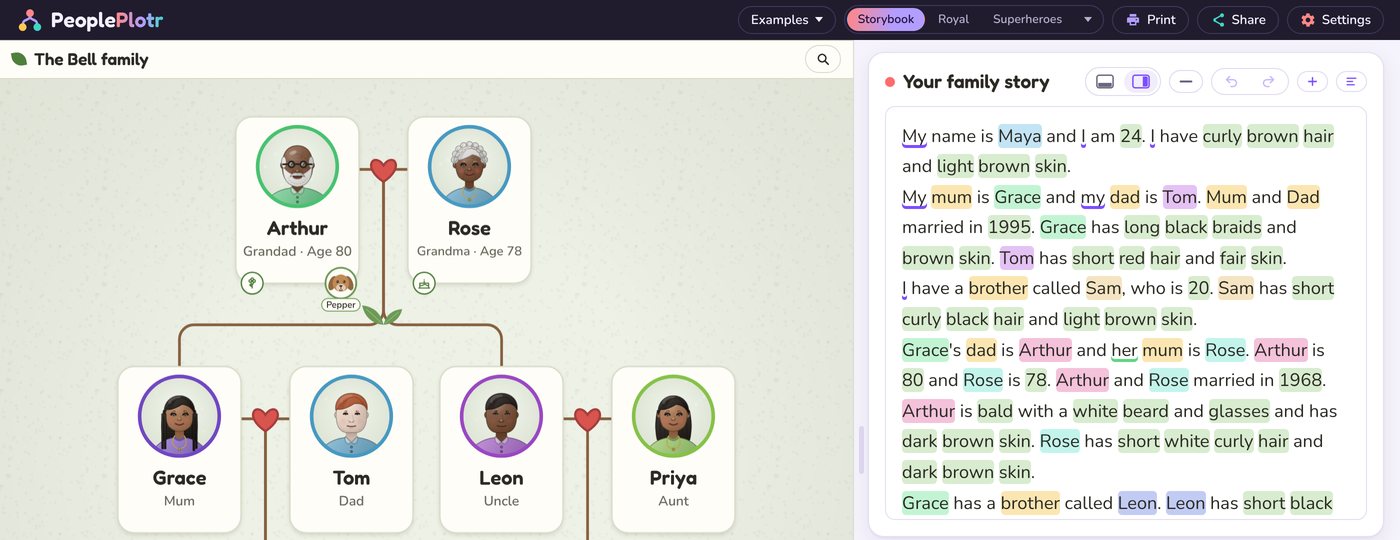
On a wide screen, the buttons at the top of the story box put your story below the tree or on the right, so you can see more of both at once. Drag the edge to make it wider or narrower. When you just want to look at the tree, Hide your story (the minus button) tucks it away, and the Editor button brings it back.
11. Edit details
Click anyone on the tree and press Edit details to change their name, nickname, sex and pronouns, when they were born or died, their job or where they live, in a simple form. PeoplePlotr writes the change into your story for you, and offers to update the sentences that are in the way, so your story and your tree always match.
12. Back to the editor from your shared tree
When you're logged in and open your own shared tree, there's an Edit tree button in the bar, so you can go straight back and change something you've spotted.
Looks
13. More headgear
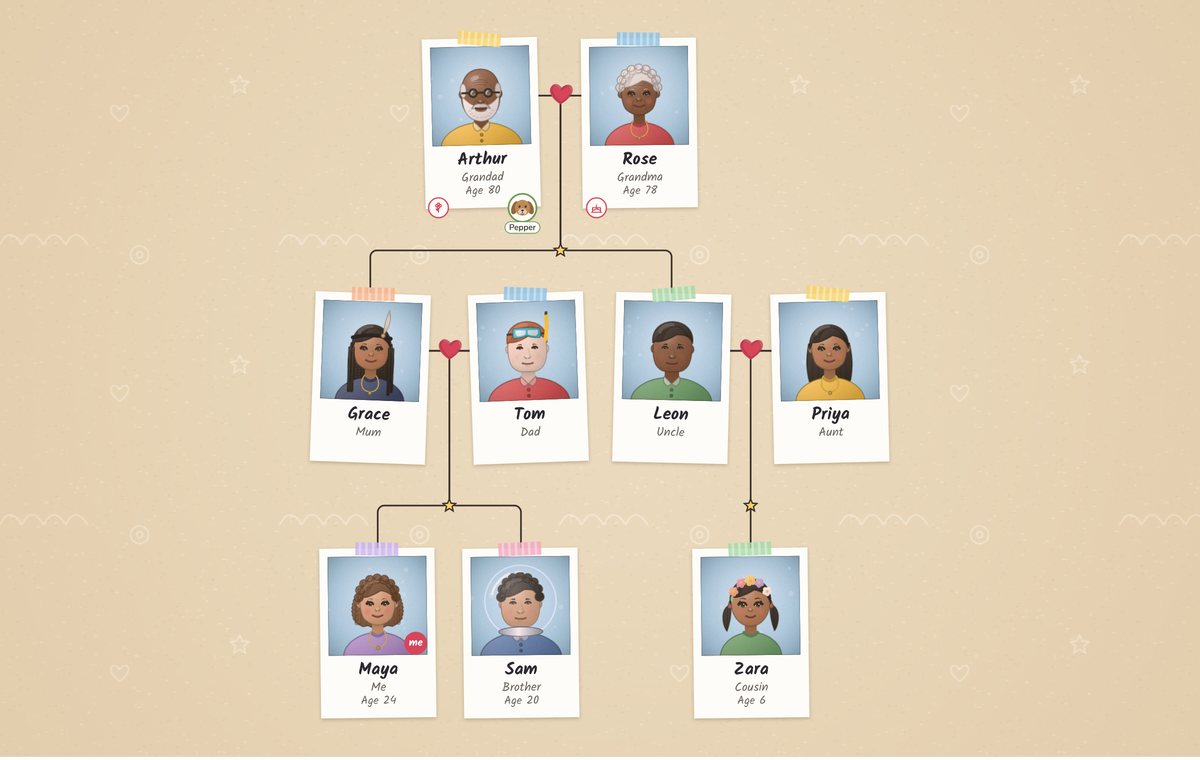
The hats in Edit look are now called Headgear, with eight new things to wear: a cowboy hat, a crown, a laurel wreath, a flower crown, a feathered headband, a snorkel mask, a space helmet and a safa (a wedding turban). Or write it in your story:
Zara wears a flower crown. Sam wears a space helmet. Grace wears a feathered headband. Tom wears a snorkel mask.
And one more
Make someone the star of your tree and they're drawn full length, a size bigger, in an outfit to suit the design: a crown and robe in Royal, a space suit in Space Crew. It has its own guide.