How to make a wedding family tree, with invitations to match
A wedding brings two families together, and a wedding family tree shows them side by side: the couple in the middle, bigger than everyone else, with parents, brothers, sisters and grandparents from each side around them. With PeoplePlotr you make one by writing a few plain sentences about who's who, then picking one of 11 wedding designs, from champagne flutes to a chuppah, a handfasting cord or a beach in Hawaii. This guide goes through every option, shows each design, and explains how to turn your tree into wedding invitations.
Step 1: Say who's getting married
You can try it first, with no sign-up, on our wedding family tree page. To keep your tree, sign up for a free account and start a story tree. Then write about the couple in the story box. If you're one of the couple, write as yourself:
My name is Sophie and I am 29. I am marrying James on 12 June 2027. James is 31.
That one sentence is enough for PeoplePlotr to know who the couple are. A wedding design always puts at the centre the person telling the story and their partner. If the story isn't told by either of them, it uses the most recent marriage in the story instead.
Making the tree for someone else? If you're a parent, a friend or a wedding planner, write about the couple in the third person, such as Sophie is marrying James on 12 June 2027
, rather than as my daughter
. If you write as yourself and you're married, you and your partner become the couple in the middle.
Who's the bride and who's the groom
Each design dresses the couple from what it knows about them. Most names tell it who's a woman and who's a man, but if a name is unusual, or used by both, the bride may turn up in a suit. Add a sentence that makes it clear:
I am Yusuf's fiancée.
Words such as fiancée
, wife
, daughter
or sister
do it, or you can say it directly, such as Mei is a woman
.
Engaged or married
The date decides how the couple are shown:
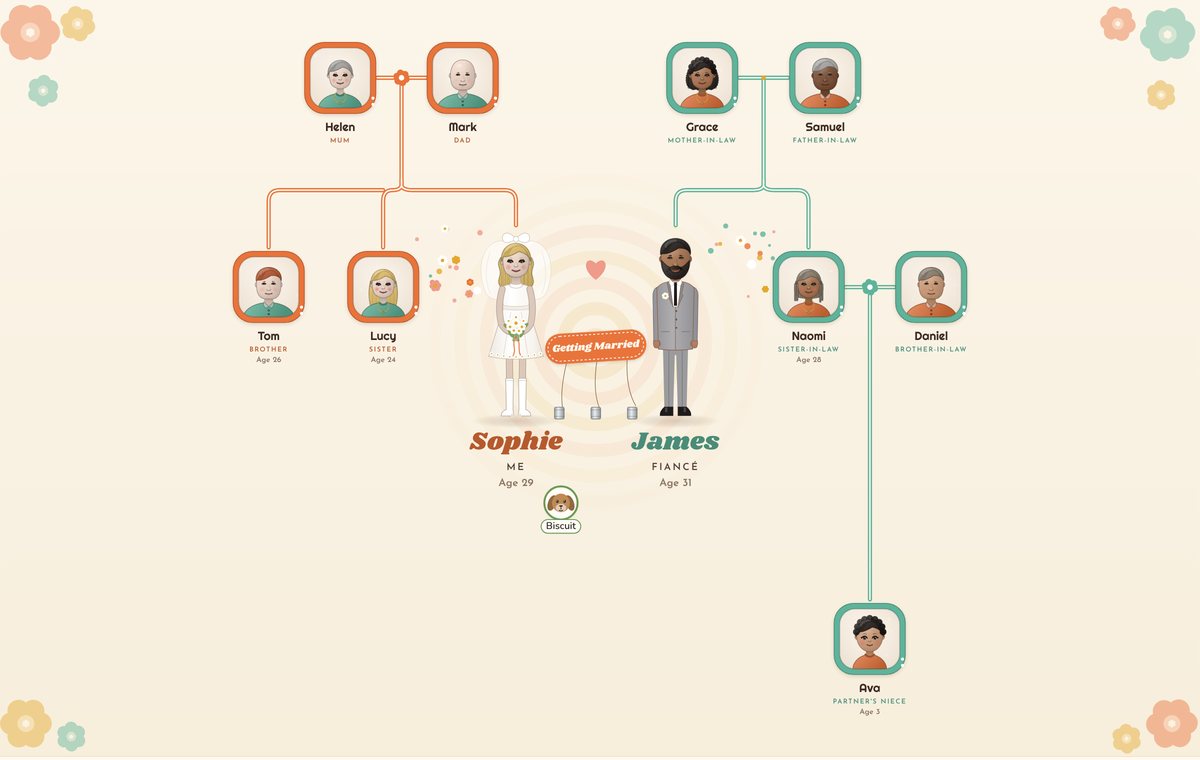
- A date still to come makes them an engaged couple. The plaque by the couple says To be married with the date, and their labels show they're engaged. The Celtic design says To be handfasted, and 1960s puts up a Getting Married sign. It's just right for an engagement party or a save the date.
- A date gone by makes them married, so the same tree works as a keepsake after the wedding, or as an anniversary present.
John and Jane will be married on 1 June 2027.
Helen and Mark married in 1992.
Step 2: Add both families
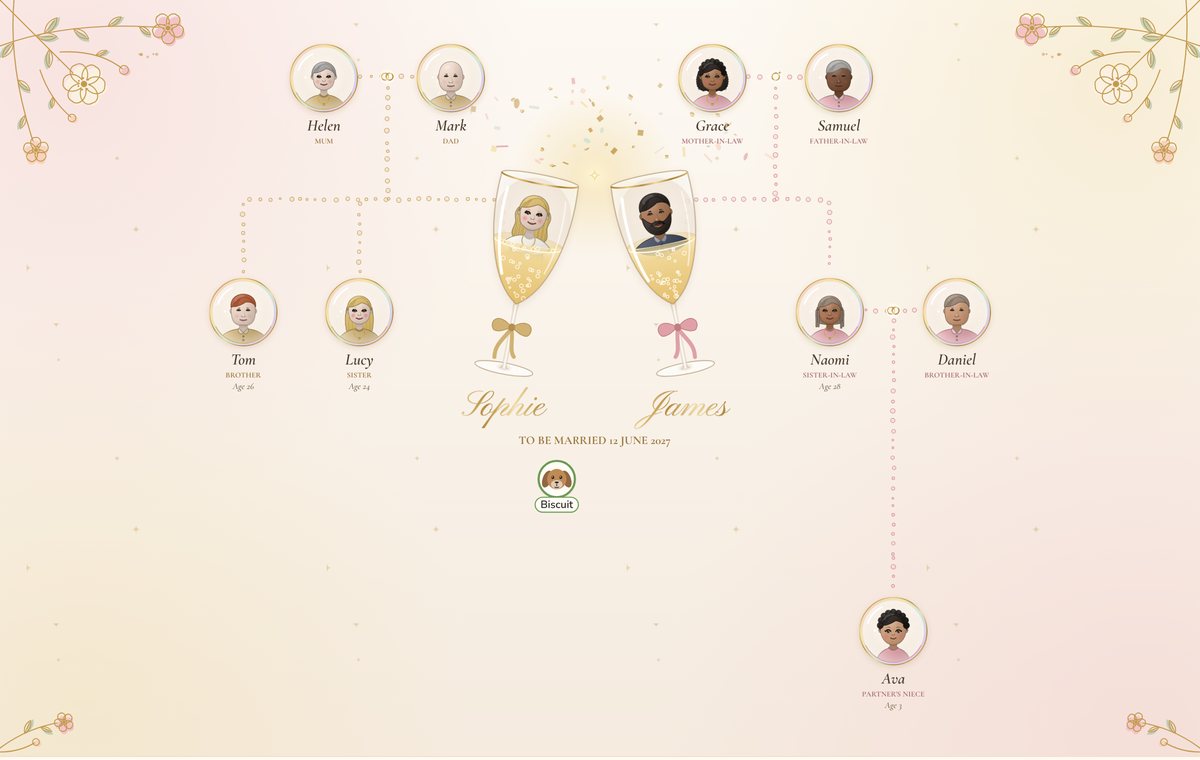
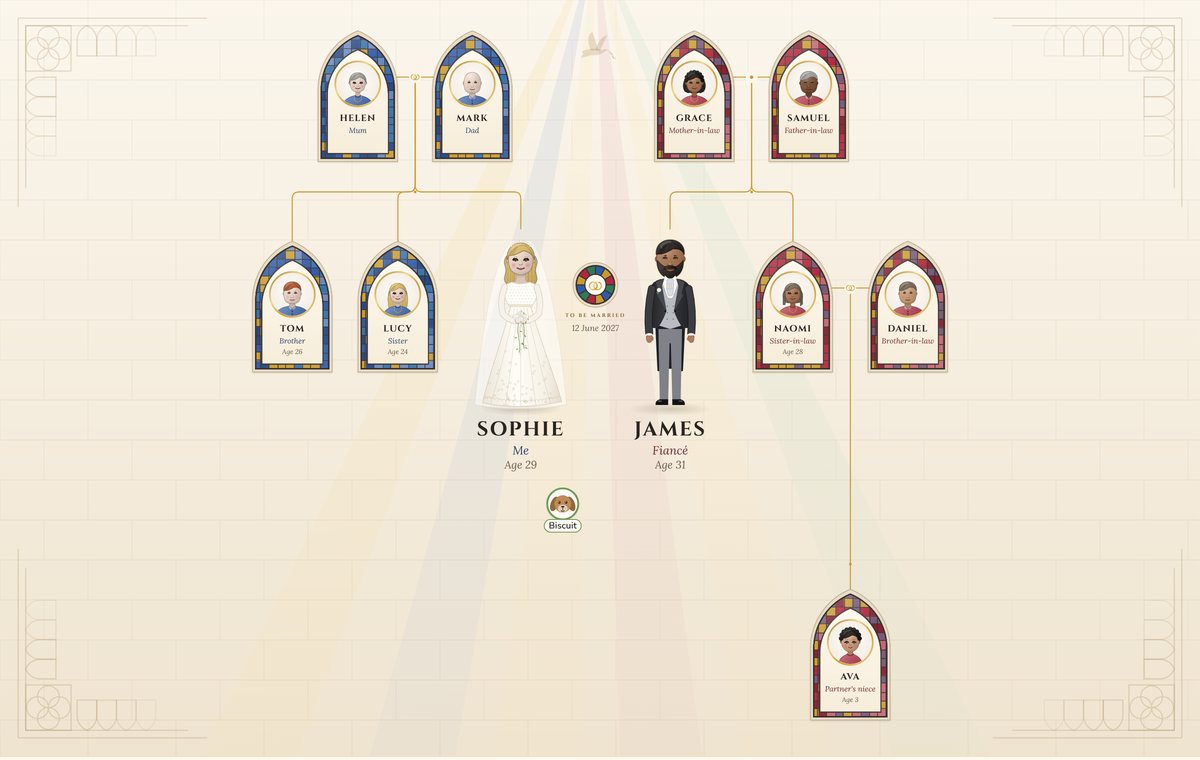
Next, write about each side of the family, one sentence at a time, in any order. Here's the whole story behind the Champagne tree above:
My name is Sophie and I am 29. I am marrying James on 12 June 2027. James is 31.
I have long wavy blonde hair and fair skin. James has short black hair, a neat beard and brown skin.
My mum is Helen and my dad is Mark. Helen and Mark married in 1992. Helen has short grey hair and fair skin. Mark is bald and has fair skin.
I have a brother called Tom, who is 26, and a sister called Lucy, who is 24. Tom has fair skin and red hair. Lucy has fair skin and long blonde hair.
James's mum is Grace and his dad is Samuel. Grace has curly black hair and brown skin. Samuel has short grey hair and dark brown skin.
James has a sister called Naomi, who is 28. Naomi has braids and brown skin. Naomi is married to Daniel. Daniel has light brown skin. They have a daughter called Ava, who is 3. Ava has curly black hair and light brown skin.
We have a dog called Biscuit.
PeoplePlotr works out which side everyone is on. Sophie's parents, brother and sister go on her side, James's go on his, and anyone as close to both, such as the couple's own children, goes between them. Parents and grandparents sit above, and brothers, sisters, their partners and children beside. Pets come too.
You don't have to write in the first person, and you can add as many people as you like: grandparents, aunts, uncles, step-parents and cousins all find their places. The guide to several families on one tree has more on joining families by marriage.
Each family gets its own colour
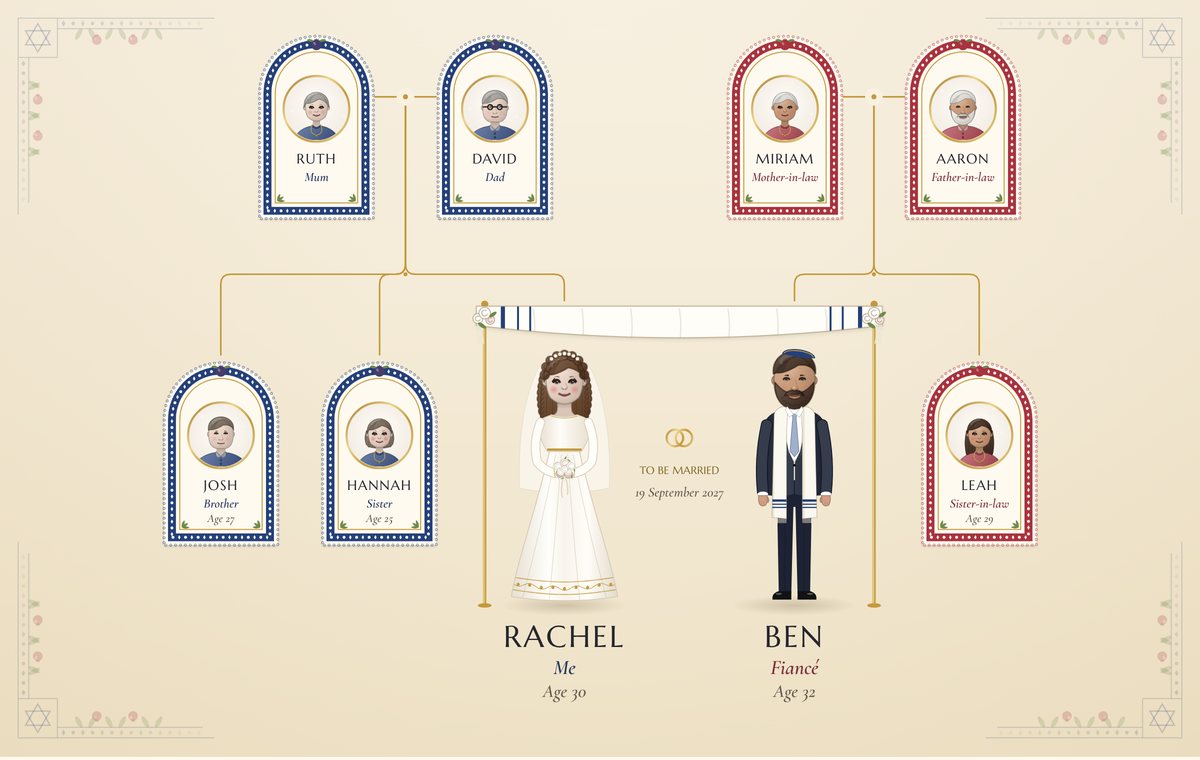
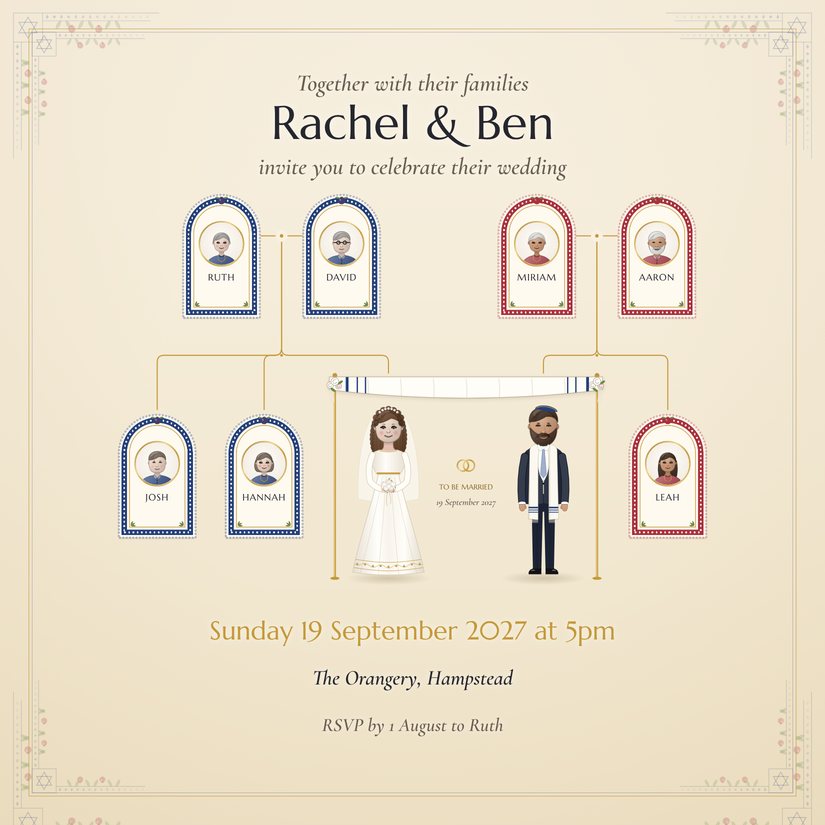
In a wedding design, each side of the family gets its own colour, so guests can see at a glance who belongs to whom. In Jewish, below, Rachel's family is in blue arches and Ben's in red. Each design picks colours that suit it, and the colour scheme you choose (see Step 3) changes them.
What everyone looks like
Say what each person looks like in the story, or click anyone and press Edit look to choose with pictures. Hair, eyes, skin, glasses, beards and hats are all drawn in the wedding designs, and so is headwear people wear for their faith: a hijab, a kippah or a turban. The appearance update on our blog goes through all of it.
Step 3: Choose a wedding design
Open the designs in the top bar, click the arrow to see them all, and scroll down to Wedding. Champagne is free on every account, and the other ten come with a premium account. On a free account you can still click any of them for a short preview. Click one to try it: your story stays the same, so you can switch as often as you like.
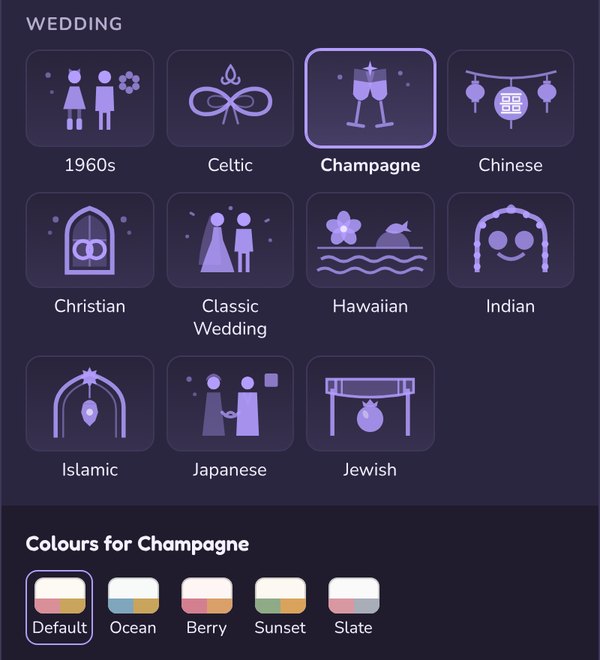
Every wedding design draws the couple full length, in wedding clothes, and bigger than everyone else, with both families above and beside them. Most designs also come in a few colour schemes, shown under the designs when you pick one. Here they all are.
Champagne
The couple sit inside two clinking champagne flutes, with bubbles rising between them, in blush pink and gold. It's the wedding design that's free on every account, and a good choice for a modern wedding or a celebration of any kind. Its colour schemes are Default, Ocean, Berry, Sunset and Slate. (Pictured at the top of this guide.)
Christian
Each person has a stained-glass arch of their own, with a church window's coloured light behind the couple. The bride is in a white gown and the groom in a morning suit, and each family's arches are in its own colour.
Jewish
The couple stand under a chuppah, the wedding canopy, with each family in arched frames of its own colour. (Pictured above, in Step 2.)
Celtic
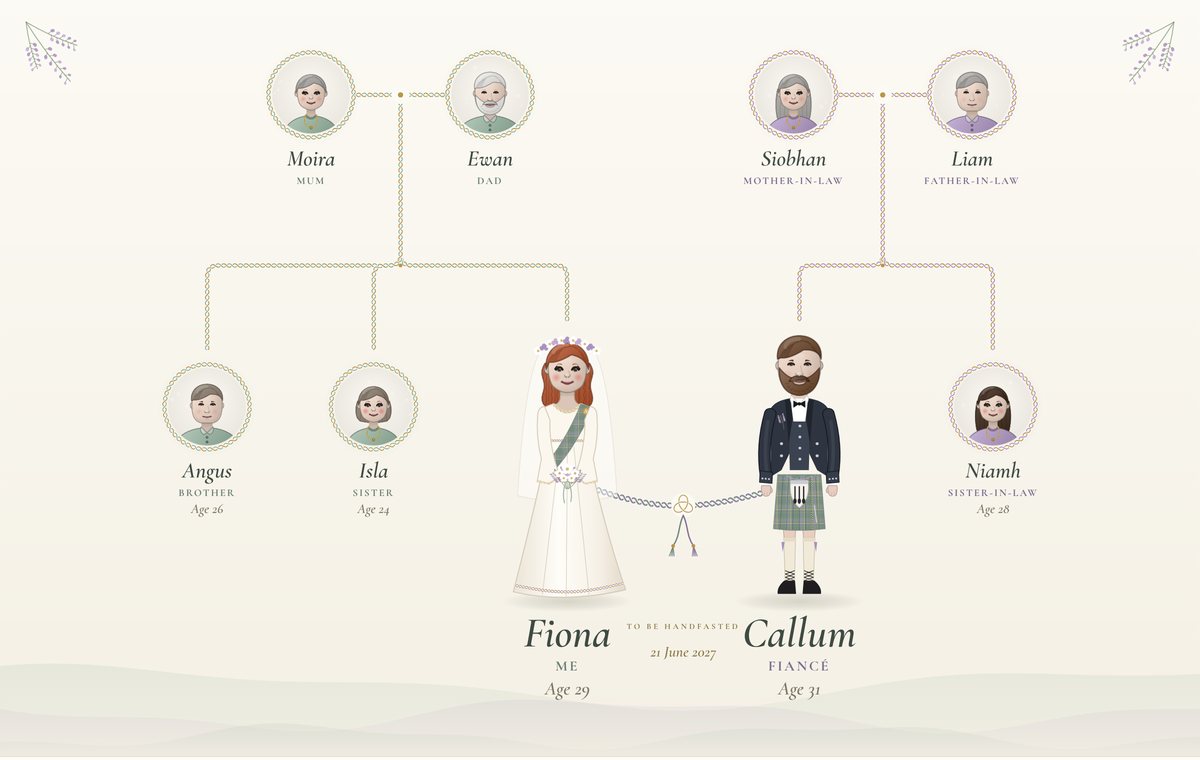
A handfasting cord ties the couple's hands together, with a kilt and plaid. Made for Scottish and Irish weddings, and for handfasting ceremonies. While the wedding is still to come, the plaque says To be handfasted.
Indian
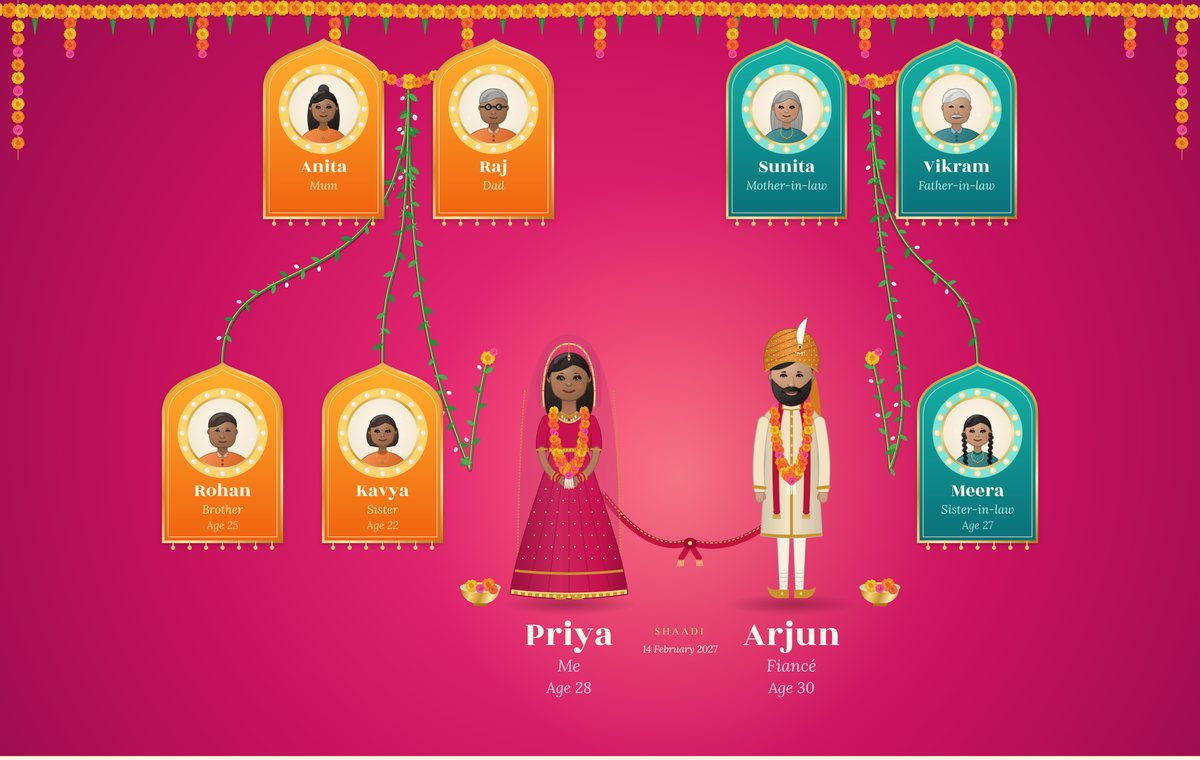
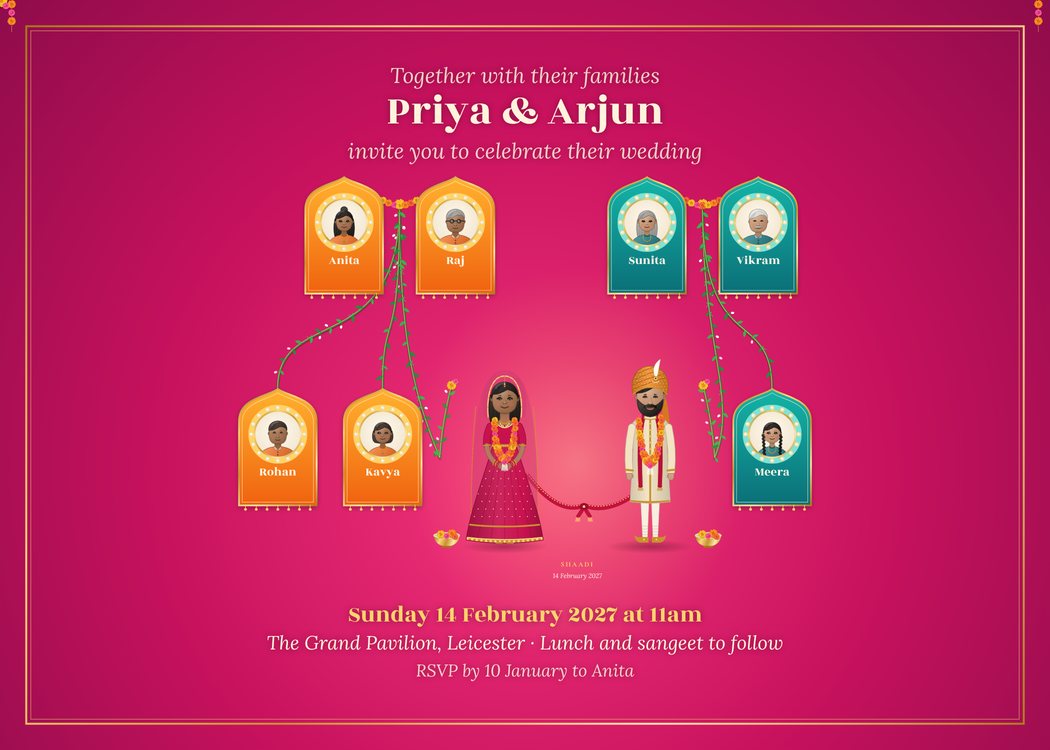
A deep pink background hung with marigold garlands, the bride in a lehenga and the groom in a sherwani, and Shaadi written over the couple.
Islamic
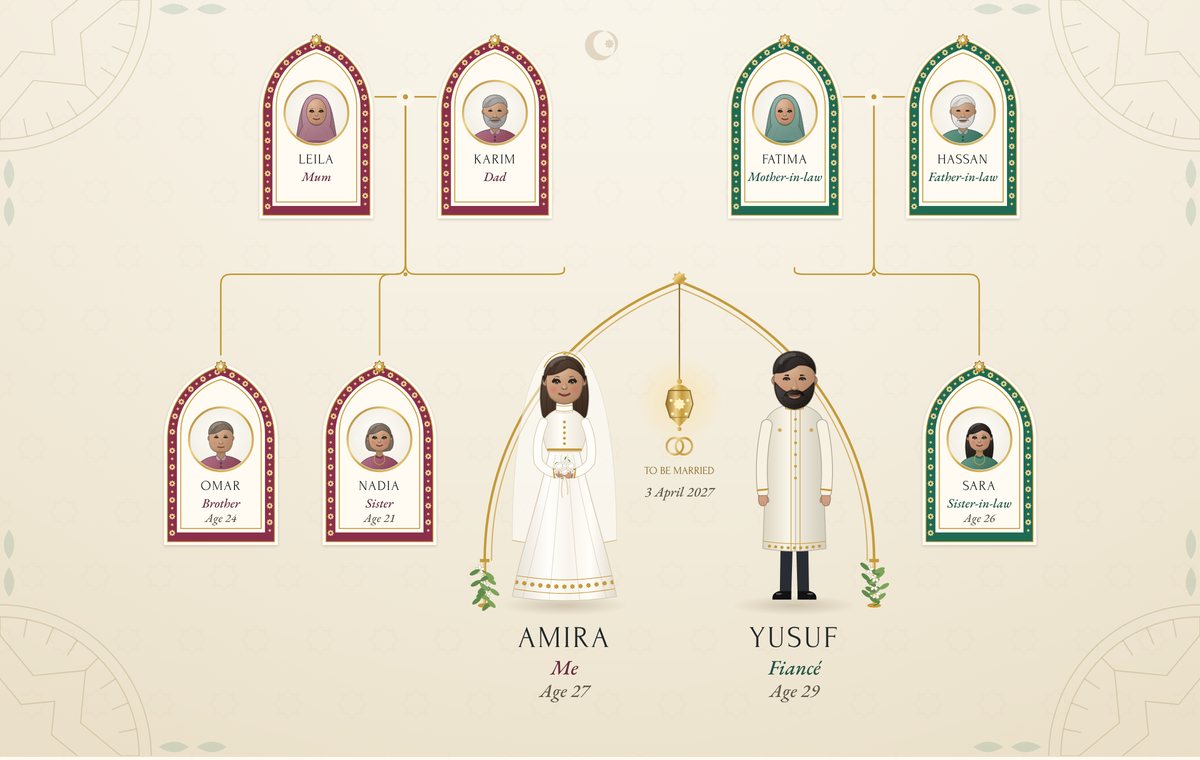
Green and red arches, an open garden arch with a hanging lantern over the couple, and a bride's gown with long sleeves and a high neck. Once the couple are married, it says Nikah Mubarak in English and Arabic.
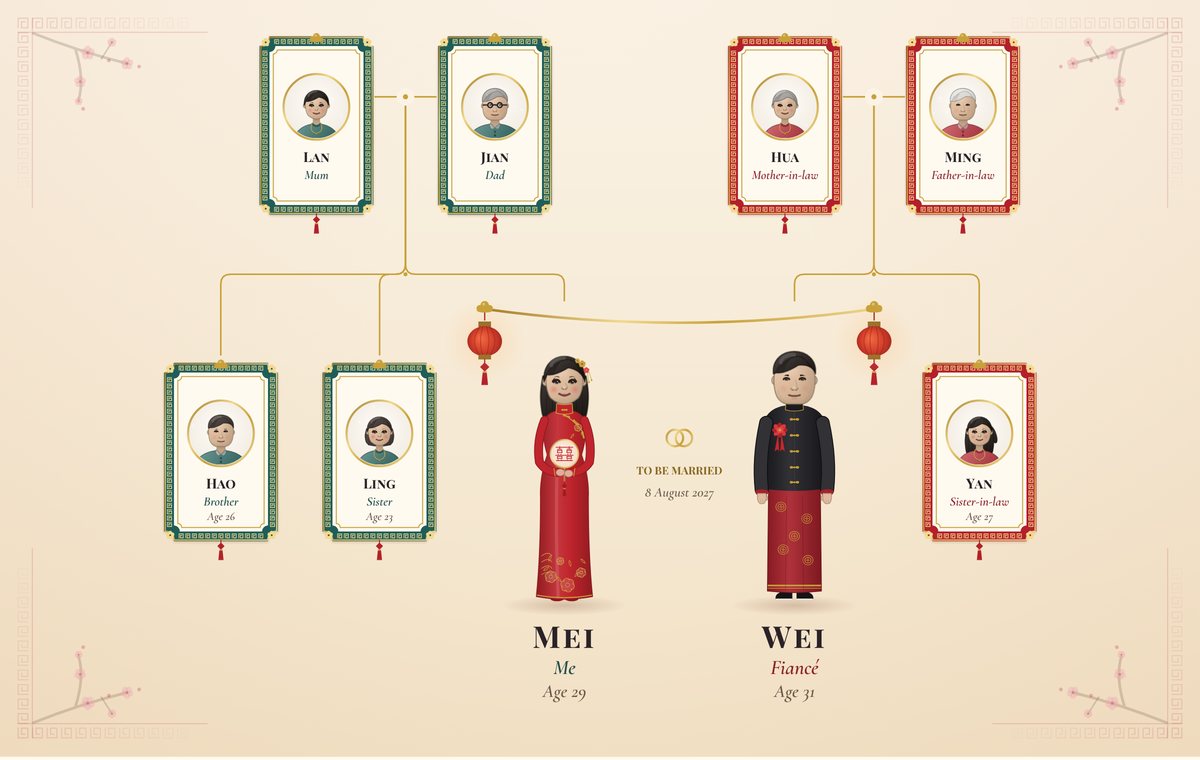
Chinese
The bride in a red qipao and the groom in a black jacket, with red lanterns strung above them and each family in red or green frames.
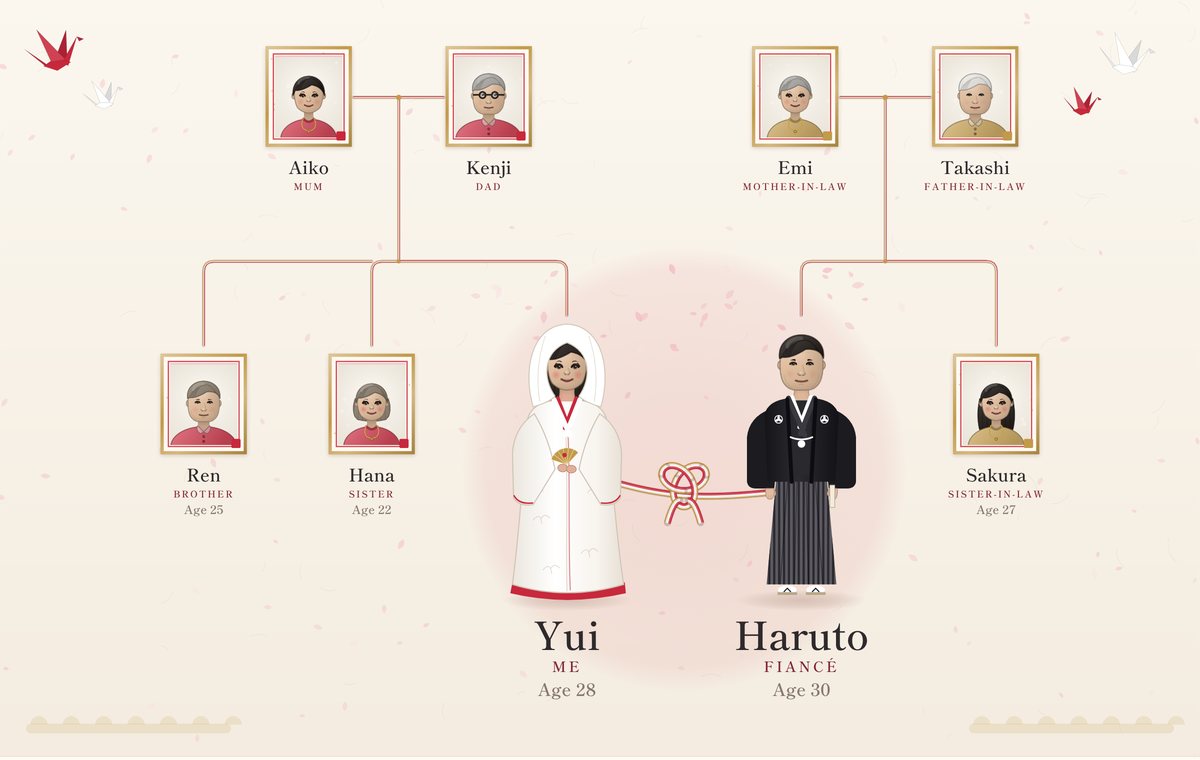
Japanese
The bride in a white kimono and the groom in black, joined by a red and white cord, with paper cranes flying round the tree.
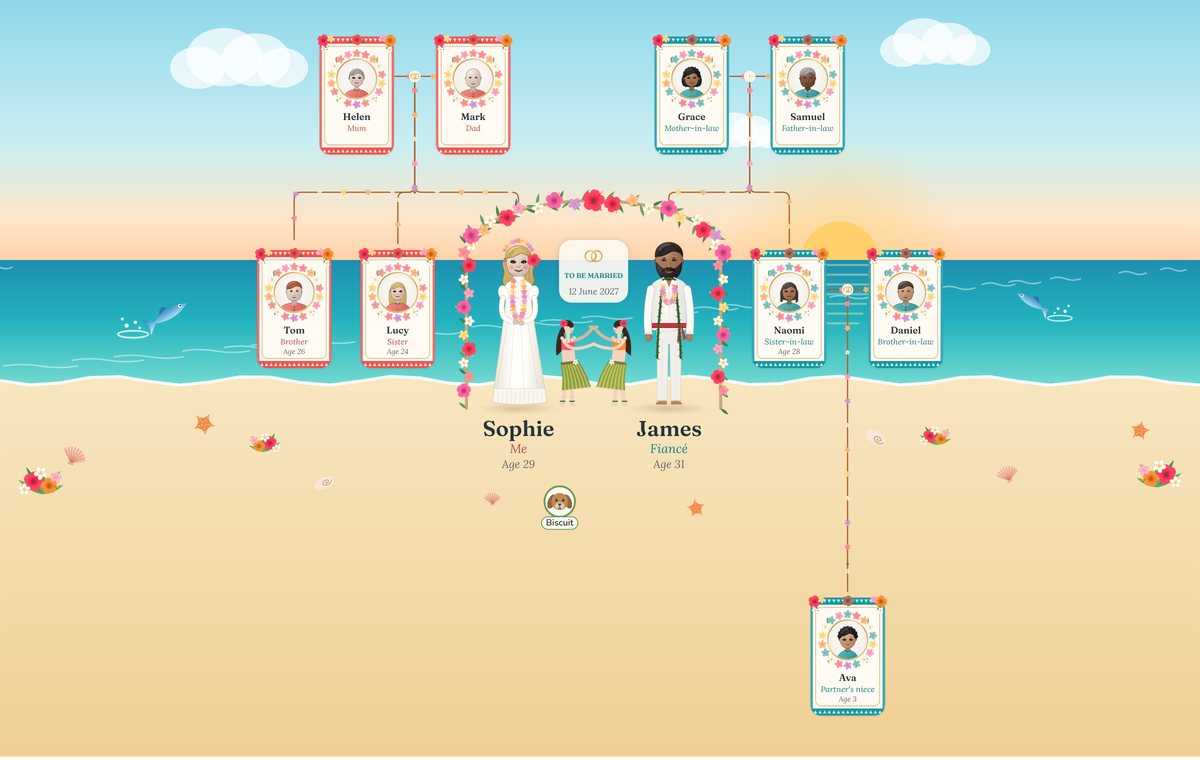
Hawaiian
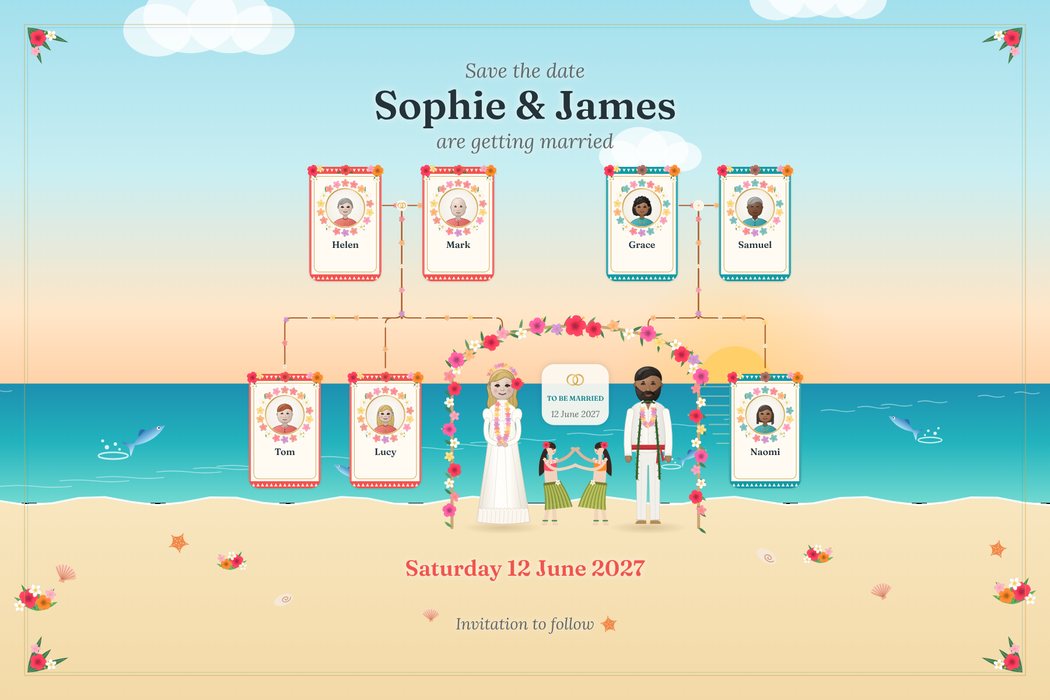
A bright beach and sea with leaping fish and shells, a flower-covered arch over the couple, bright leis, two hula dancers between them, and, once the couple are married, Hauʻoli Lā Male, Hawaiian for happy wedding day. Lovely for a beach or destination wedding.
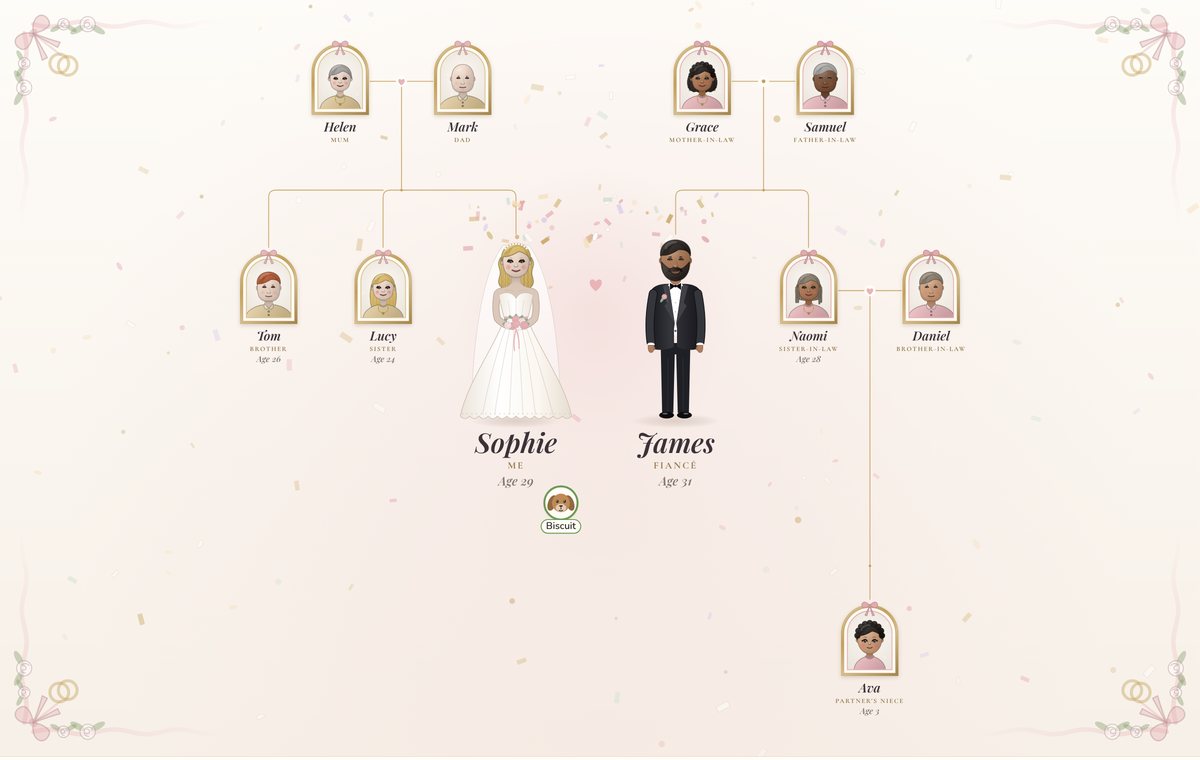
Classic Wedding
Ivory and gold, with a white gown and a black suit, and each family in gilt arched frames. A safe choice for a traditional wedding of any kind.
1960s
A retro sunburst, a sign with tin cans, and orange and teal for the two families. The sign follows the date: Getting Married before the day (pictured in Step 1), Just Married for the first year, and then Happily Married since the year they wed, such as 1968. When one of the couple has died, it says Forever in Love. Fun for a retro-themed wedding, and lovely for a parents' or grandparents' anniversary.
Step 4: Make it yours
Make the couple bigger
The couple are drawn bigger than everyone else to begin with. To make them bigger still, add a line to your story:
Make us bigger.
You can also say how much, such as Make us 50% bigger
, or write Make Sophie and James bigger
if you aren't one of them.
Wedding dress and suit colours
Each design dresses the couple in its own wedding clothes. To change the colour, click a person, press Edit look and open Clothes. Pick a colour, then Dress or Suit under What they wear. For the couple, Dress or Suit colours the whole outfit. Or write it in the story:
Sophie wears a cream dress. James wears a navy suit.
Step 5: Make your wedding invitations
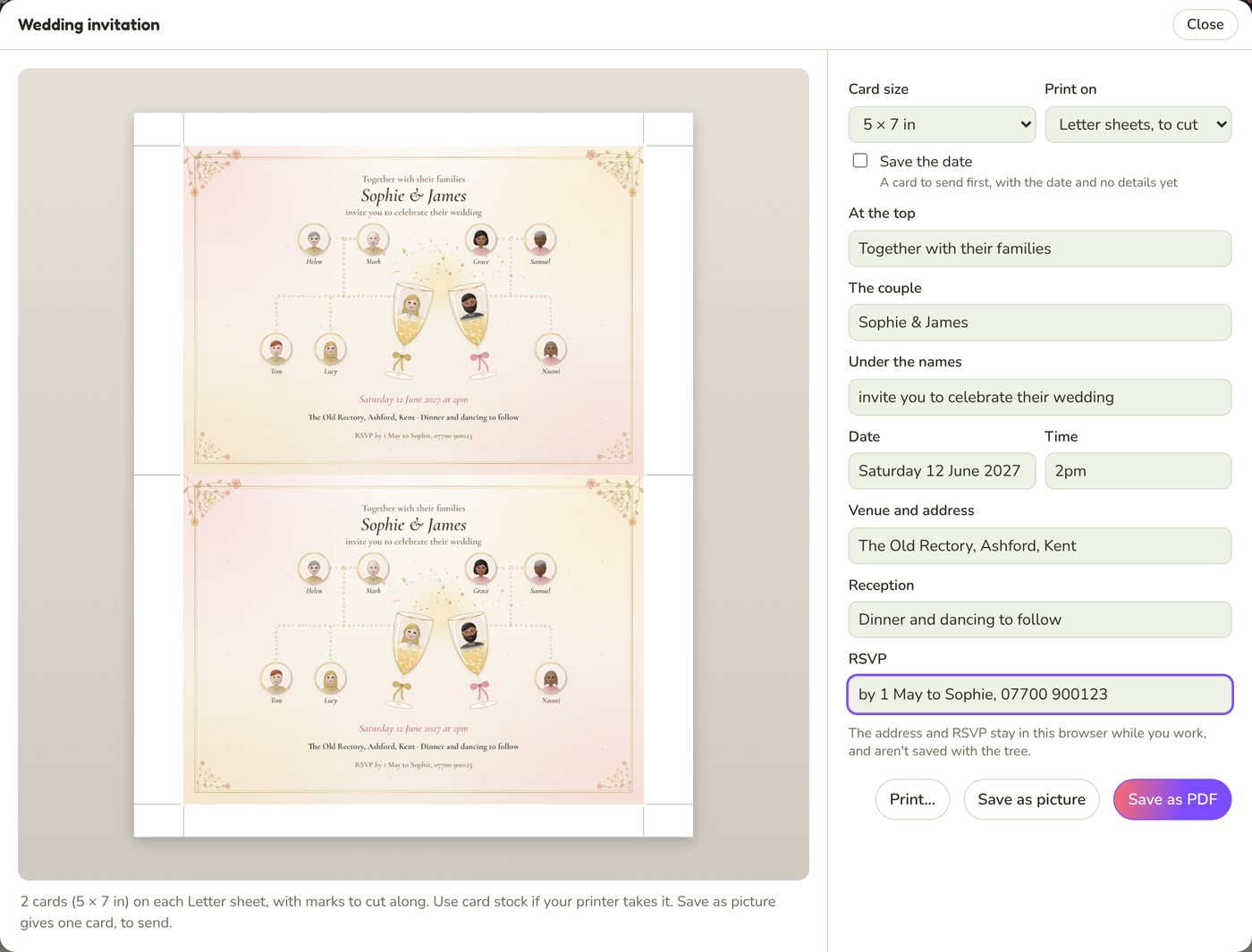
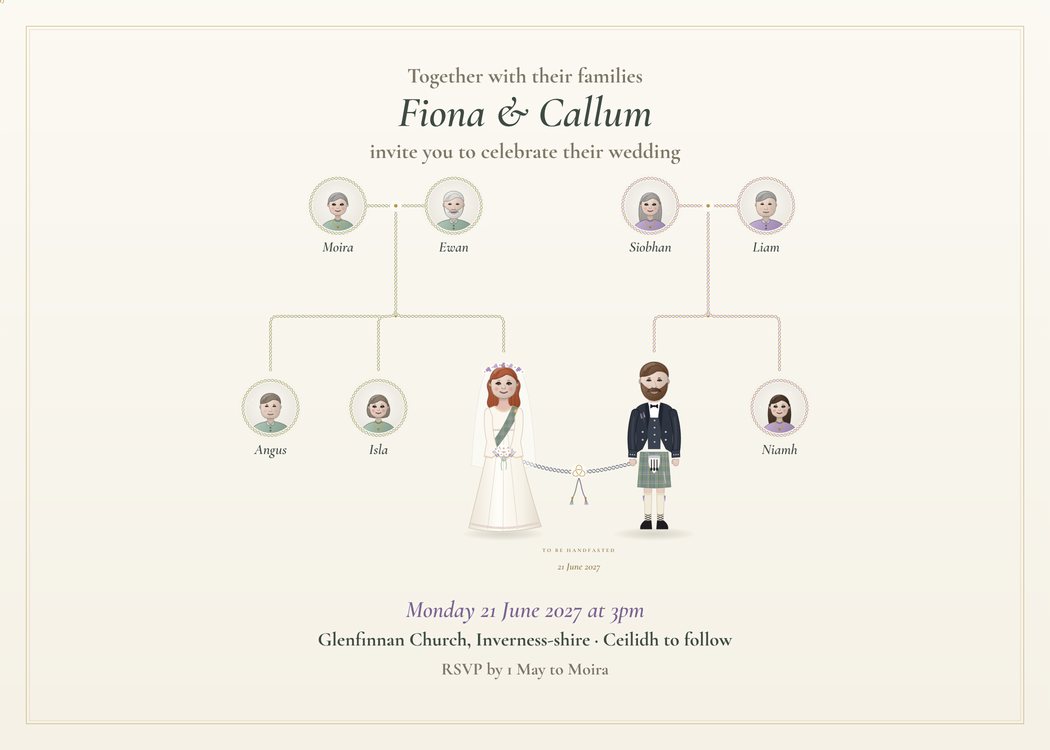
Once your tree is ready, you can turn it into a wedding invitation or a save the date card in the same design. Click Print in the top bar, and under More to print choose Make an invitation…. It's there whenever your tree is in one of the wedding designs.
The card shows the couple, their parents and their brothers and sisters, with nobody else, so it stays clear at card size. Ages and relations are left off. When there are a lot of brothers and sisters, they're drawn a little smaller to fit.
The words on the card
The form starts with the couple's names and the date from your story, and you fill in the rest. The preview changes as you type.
- At the top: a line above the names, such as
Together with their families
. - The couple: the names as you want them printed, such as
Sophie & James
. - Under the names: such as
invite you to celebrate their wedding
. - Date and Time.
- Venue and address.
- Reception: such as
Dinner and dancing to follow
. - RSVP: who to reply to, and by when.
The venue address and RSVP details stay in your web browser while you work, and aren't saved with your tree, so they don't show if you share it.
Save the date cards
Tick Save the date for a card to send first, months before the invitations. It has the couple's names, their families and the date, with Invitation to follow
instead of the details.
Card sizes and paper
Choose a Card size:
- 5 x 7 inches, the usual invitation size
- A5 and A6
- 4 x 6 inches, postcard size
- 4¼ x 5½ inches (A2)
- Square, 5½ inches
Then choose what to Print on: paper the size of the card, or Letter sheets (A4 in Europe) with two or more cards to a sheet and marks to cut along. Use card stock if your printer takes it.
Print, save or send
- Print… opens your browser's print window, to print the cards yourself.
- Save as PDF downloads the sheet, to keep or take to a print shop for heavier card.
- Save as picture downloads one card, to send by email or message, or to put on your wedding website.
Wedding invitations come with a premium account. On any account you can try the choices and see your card in the preview before you decide. The invitation window is new, so the details may change a little as we improve it.
Step 6: Share it and print it
Share it with your guests
Click Share for a link to your tree. Send it to both families before the day so everyone knows who's who, or put it on your wedding website. Whoever opens the link sees the tree in the design you chose, and can tap anyone to see more about them.
A print for the reception
For a welcome table, a seating plan display or a wedding present, click Print, then Order a print…. Large and framed prints are made by PrintKit and posted to you, in your wedding design, from 8 x 8 inches up to 30 x 40 inches framed. You can also print the tree at home on one page or across several. The guide to printing your family tree has the sizes, prices and tips.
Wedding tree ideas
- An engagement party: a tree with a date still to come, so it says To be married.
- Save the dates and invitations in the same design as the tree.
- A welcome sign at the reception, as a large or framed print.
- A gift for the couple, or for parents, from the bride or groom.
- An anniversary present: a past wedding date, perhaps in 1960s for a couple married that decade.
- After the wedding: keep adding to the story as the family grows, and switch to any of our other designs.
Quick answers
Are the wedding designs free?
Champagne is. It's free on every account, and so is sharing your tree and printing it on one page. The other ten wedding designs, wedding invitations, saving the tree as a PDF and printing across pages need a premium account. Professional prints are paid for at PrintKit's checkout.
Can I show a same-sex couple?
Yes. Write the story as it is, such as I am marrying Alex on 5 May 2027
. The design dresses each of you as a bride or a groom from what the story says about you, so two brides are both drawn in gowns and two grooms in suits.
The wrong couple is in the middle. Why?
The couple is whoever tells the story and their partner, or else the most recent marriage in the story. If you're writing as a parent and you're married yourself, write about the couple by name instead of as my daughter
or my son
.
Can I include step-parents, grandparents and pets?
Yes. Everyone in the story goes on the tree. Only the invitation card keeps to the couple, their parents and their brothers and sisters.
Do you use AI to read my story?
No. Your story is read by PeoplePlotr's own rules, written for family sentences. It isn't sent to an AI service.