Teacher accounts: set your class a family tree quiz
With a PeoplePlotr Education account you can set your class a family tree quiz. Make a tree, such as the Tudors or the families in a novel you're reading, and share its link. Your pupils take the quiz, and with one click they send you their score. Each pupil also gets a free Bronze account to build trees of their own. It's US$150 a year for up to 50 pupils.
Set your class a family tree quiz
Every story tree comes with a Quiz: ten questions about the family in it, such as "Who is Henry VIII's mum?", "Elizabeth I is Henry VIII's...?" or "Who was born first?". Here's how to use it with your class:
- Make the tree. Write a few lines about the family and PeoplePlotr draws it, or start from one of our example family trees.
- Share its link. Keep the tree shared with a link (or with a secret word), and give the link to your class, for example on your class page or in an email.
- Pupils take the quiz. Logged in to their pupil accounts, they open the link and click Quiz.
- They send you their score. When they finish, a Send to my teacher button appears.
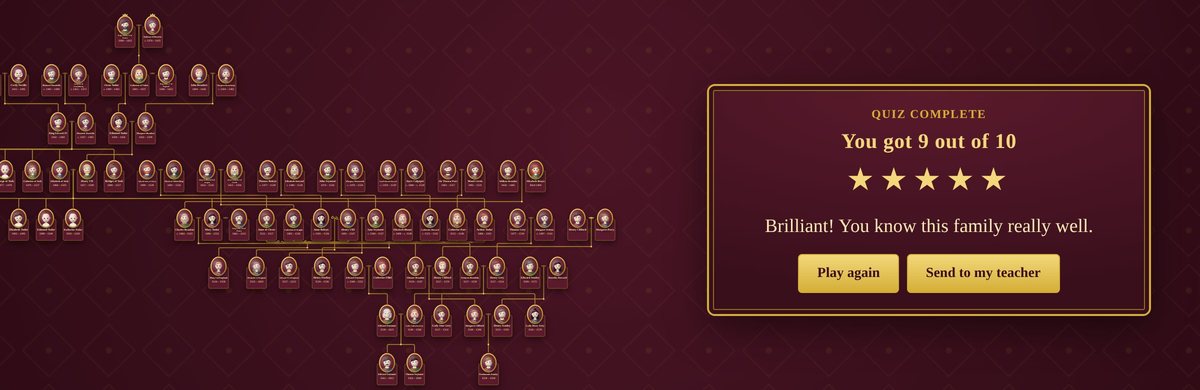
The button makes a picture of the result with the tree's name, the score, the stars, the pupil's username and the date. On tablets, Chromebooks and phones, it opens the share menu with the picture attached, ready to send by email or another app. On other computers, the picture is saved and an email opens with the message written for them, so they just add your address and attach the picture.
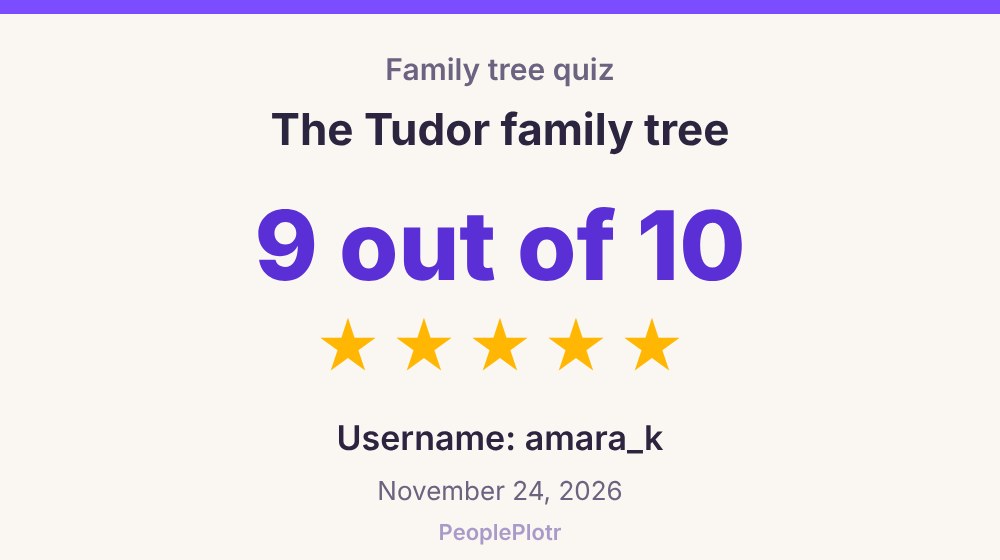
Quiz results go straight from the pupil to you. PeoplePlotr never sees or keeps them, and your email address is never shown to your pupils. The questions change each time, so pupils can play again to improve their score.
The button shows for your own pupils when they open the tree's PeoplePlotr link while logged in. It doesn't show on a tree put on another website, because browsers don't tell PeoplePlotr who is logged in there. Pupils also get the button at the end of the quiz on their own trees, so "build your family tree and send me your quiz score" works as homework too.
What the Education account includes
The Education plan is for one school or university teacher. It includes:
- A Silver account for you: up to 25 story trees, 500 people in each, all 24 designs, and trees on your school website with 20,000 views a month.
- Up to 50 pupil accounts, each with Bronze features: up to five story trees, 250 people in each, all 24 designs, GEDCOM import and download, and their trees on a website with 5,000 views a month.
- A class code your pupils use to join.
- No advertisements.
It's US$150 a year, and it renews each year until you cancel. Make a free account, then click Upgrade to Education under Accounts on the home page and pay with PayPal or a card. Your account is upgraded as soon as the payment goes through, and you'll get an email with your class code. If you'd like accounts for a whole school, email hello@peopleplotr.com.
Your pupils join with a class code
Your class code is on your account page. Give it to your class, and each pupil joins in one of two ways:
- New to PeoplePlotr: type the code in Class code when signing up.
- Already have a free account: on the account page, click Activate a free pupil account and enter the code. Everything they've already made stays.
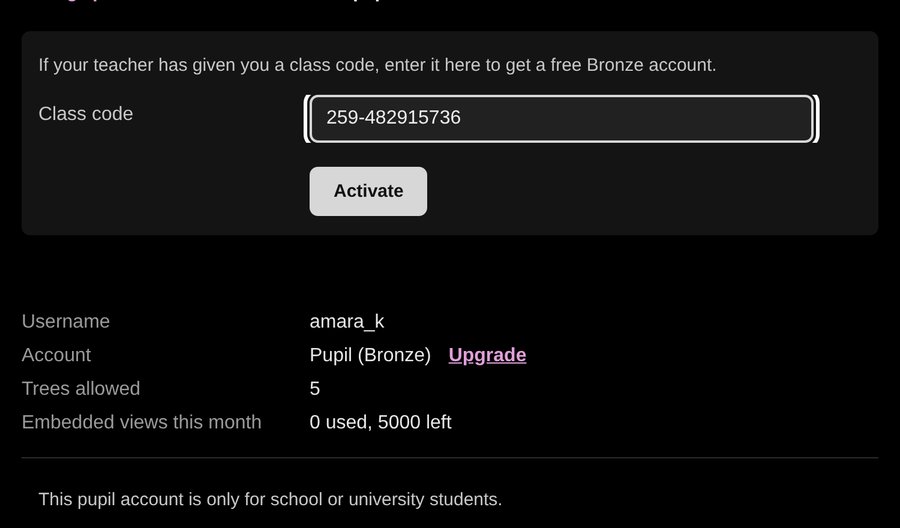
Only free accounts can join a class, so nobody with a paid account loses what they've paid for. If your code ends up with the wrong people, click New code. The old code stops working, and pupils already in your class stay in it.
Pupil accounts are only for school or university students. It's best if pupils pick a username that isn't their full name.
See your pupils' trees
Under My pupils on your account page you'll see everyone in your class and how many places are left. For each pupil there are three buttons:
- Trees lists their story trees and org charts. Click one to open a read-only copy that only you can see. Private trees are included, so you can check work that isn't shared with anyone else.
- New password lets you set a new password for a pupil who has forgotten theirs.
- Remove takes a pupil out of your class and frees their place. They go back to a free account and keep their trees, though a free account can only edit and share its first tree of each kind.
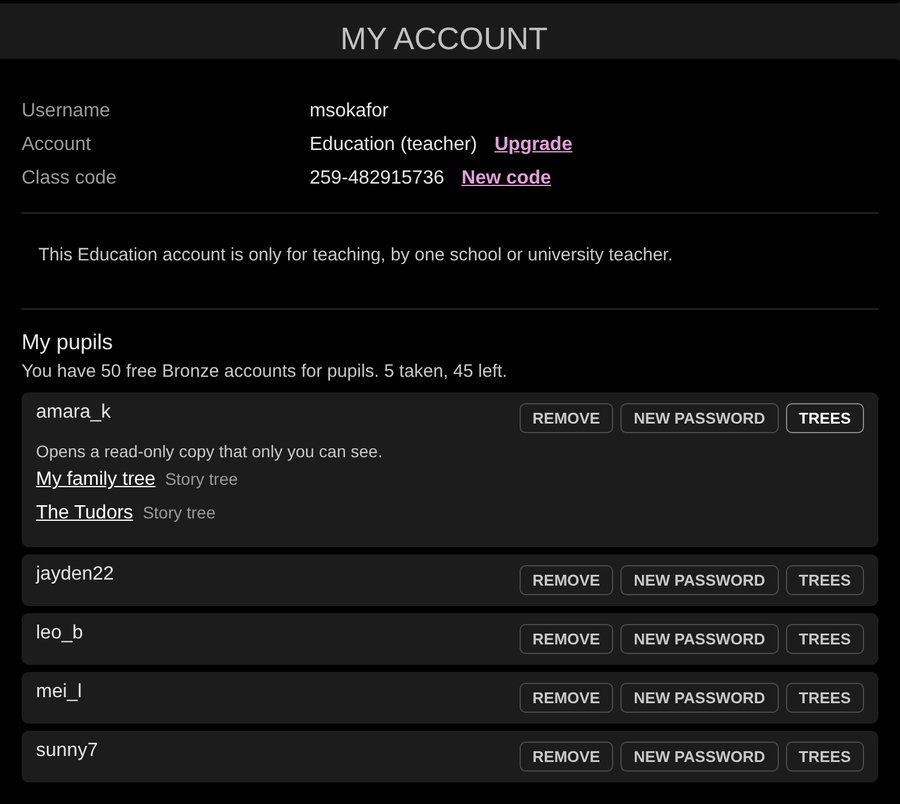
You can look but not change anything, so a pupil's tree is always their own work.
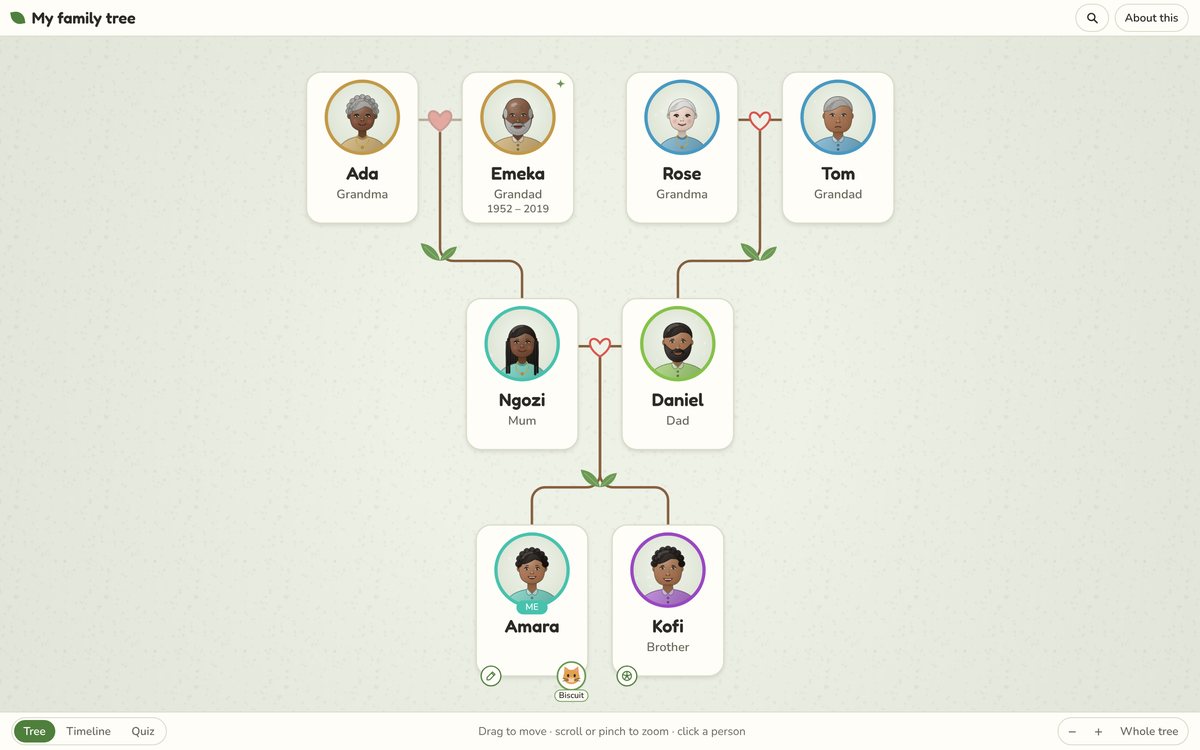
Pupils still choose who else sees their trees. They can share a tree with a link, keep it to people with a secret word, keep it private, or put it on a class website.
Quiz ideas for the classroom
- History: the Tudors, the Wars of the Roses or the family of Tutankhamun. Set the quiz before a topic to see what the class knows, and again at the end.
- English: the families in a novel or play, such as Romeo and Juliet, Macbeth or Wuthering Heights.
- Science: the Darwin and Wedgwood family, or the family tree of programming languages.
- Pupils' own trees: each pupil builds a tree, swaps links with a partner, and tries their quiz. Our family tree for kids guide shows how to start.
Ready to set your first quiz? Make a free account, then upgrade to Education under Accounts on the home page.